When we talk about completely cleaning a hard drive, we're talking about permanently destroying its data so it can never, ever be recovered. Just dragging files to the trash bin or even running a factory reset won't cut it. Those actions only remove the pointers that tell your computer where the data is, leaving the actual information behind and easily recoverable.
True data sanitization is a whole different ballgame. It requires either specialized software to overwrite every last bit of data or the physical destruction of the drive itself.
Why Simply Deleting Files Is Not Enough
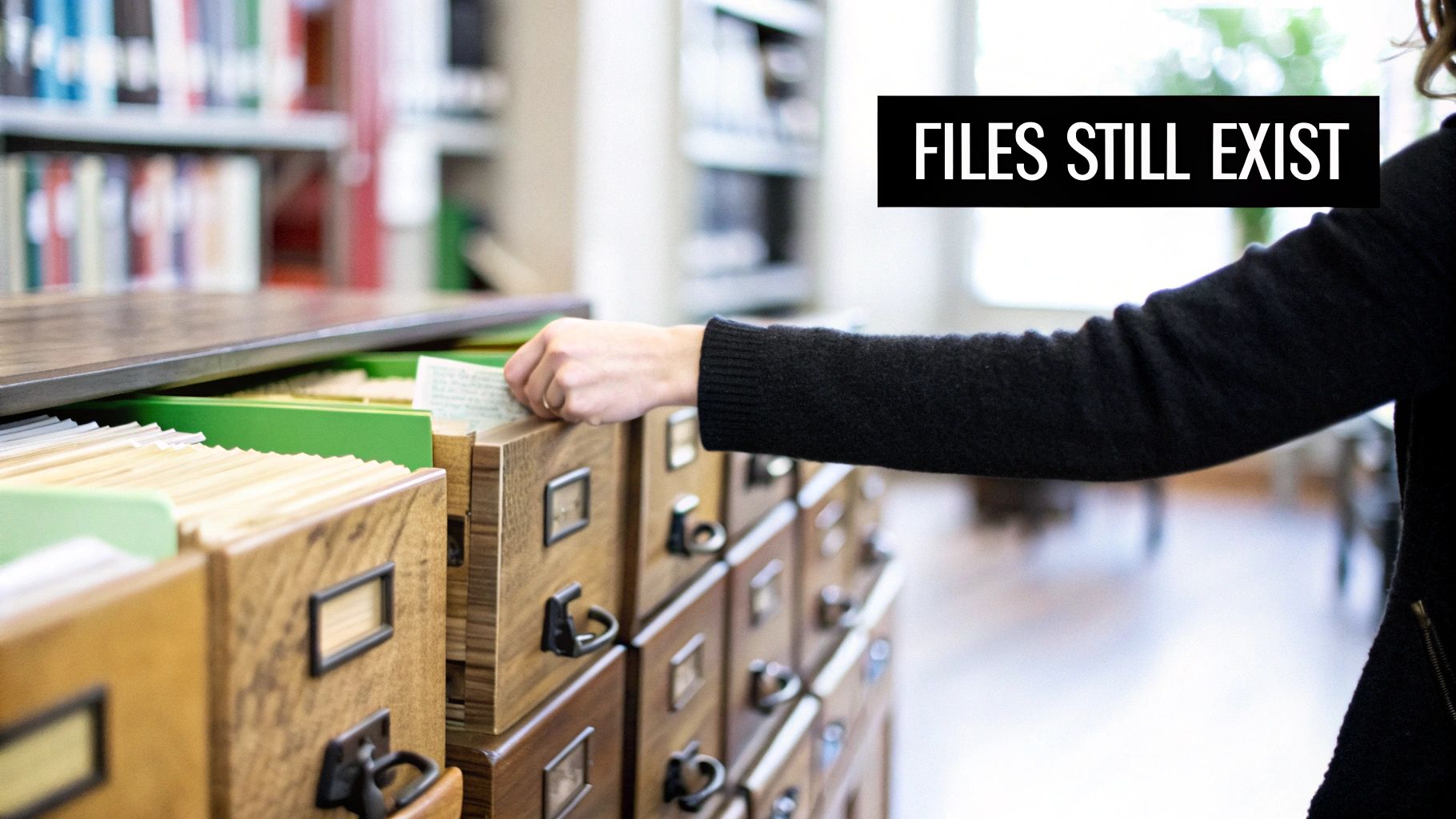
Before we get into the "how," it’s critical to understand why hitting "delete" is basically useless for security. When you delete a file, you’re not erasing it. You’re just telling the operating system that the space it occupies is now available for new data.
Think of it like ripping out the card for a book from an old library card catalog. The card is gone, so you can't easily find the book, but the book is still sitting right there on the shelf. Anyone with the right tools—in this case, data recovery software—can stroll through the aisles and pull that "deleted" file right off the shelf.
The Real-World Risks of Improper Disposal
This common mistake has some pretty severe consequences, especially for businesses. Improperly wiped IT assets are a goldmine for data thieves. Every company computer, server, or external drive that gets sold, donated, or recycled without being properly sanitized is a ticking time bomb.
Just think about the potential fallout:
- Customer Data Exposure: Imagine your client lists, financial records, and personal customer information getting out. That leads to lawsuits and can permanently tarnish your brand's reputation.
- Intellectual Property Theft: All your proprietary designs, trade secrets, and internal strategies could land directly in a competitor's hands.
- Regulatory Penalties: If you're not compliant with data protection laws like HIPAA, GDPR, or the FTC Disposal Rule, you could face crippling fines—often reaching into the millions of dollars.
The entire point of securely cleaning a hard drive is to prevent data breaches. It's not an optional step; it's a core piece of any organization's security strategy.
Shifting from an IT Task to a Business Imperative
When you understand these risks, the conversation changes. Secure data destruction isn't just another task for the IT department to check off a list. It's a fundamental, business-level security measure. For any business owner or IT manager, knowing the difference between a simple file deletion and true data erasure is the first step toward building a security strategy that can actually hold up.
The process of making data completely unrecoverable is called data sanitization. As you can see in our guide on what data sanitization is, this involves methods that go way beyond what a standard operating system can do. It's also a key part of understanding how to prevent data breaches. The professional methods we’re about to cover are non-negotiable for any organization that's serious about protecting its information.
Your Pre-Wipe Checklist for Data Integrity
Jumping straight into wiping a drive without thinking it through is a recipe for disaster. This can lead to the irreversible loss of critical data or create massive compliance headaches down the road. A methodical approach before you even think about sanitization is the only way to protect your organization's information and build a defensible audit trail.
Think of it as the prep work before a major operation. You wouldn't start demolishing a building without first making sure everything valuable is out and the site is properly documented. It's the same principle here. Failing to prepare can be just as costly as a botched wipe.
Execute and Verify Your Data Backups
First things first, and this is non-negotiable: make sure you have a complete and verified backup of all necessary data. This isn't just about dragging and dropping files; it's a structured process that guarantees your data is safe and sound.
- Full System Image vs. File-Level Backup: You need to decide what you're saving. Do you need a complete snapshot of the drive—operating system, applications, and all—or just specific user and business files? A full image is your go-to for disaster recovery, while a file-level backup usually works just fine for simple data preservation.
- Verification Is Everything: A backup is completely worthless if it's corrupted or incomplete. Always run a test restore. Grab a few critical files or even a small database and restore them to a separate, isolated environment. This is the only way to confirm the backed-up data is actually readable and usable.
Before any drive gets wiped, you need absolute certainty that its data has been successfully moved or is securely archived. There is no "undo" button once you start the sanitization process.
Document Every Single Asset
For compliance and even just good internal tracking, a paper trail isn't just a good idea—it's a hard requirement for many regulations like HIPAA or GDPR. This process starts long before the drive ever meets a degausser or wiping software.
Your IT Asset Management (ITAM) system is the heart of this operation. Every single hard drive should be treated as its own asset with its own lifecycle record.
- Log All Serial Numbers: Get the unique serial number from every single hard drive you plan on retiring. This number is the cornerstone of your entire documentation process.
- Link it to the Host Machine: Connect the drive's serial number to its parent asset, like the laptop's or server's asset tag. This gives you a clear history of the device from start to finish.
- Update the Asset Status: In your ITAM system, change the device’s status to something like "Pending Sanitization." This simple step prevents the asset from being accidentally put back into service.
This careful logging creates a solid chain-of-custody record, proving you handled each data-bearing device according to a defined, secure process. For IT managers wondering what to do with old hard drives, this documentation is the first step toward a secure and compliant disposition strategy. Building this defensible process is absolutely crucial if you ever face an audit or security review.
Choosing the Right Data Wiping Method
Picking the right way to wipe a drive clean isn't a one-size-fits-all deal. The decision hinges entirely on the technology inside the drive—is it a classic Hard Disk Drive (HDD) with spinning platters, or a modern Solid-State Drive (SSD) running on flash memory? Get this wrong, and you're left with a false sense of security and a drive full of recoverable data.
The difference is simple but critical. HDDs store data magnetically, while SSDs use flash memory chips. A technique that works perfectly for erasing magnetic data can be completely useless, and even damaging, to an SSD.
Before you even think about which wiping method to use, you need a clear plan. Are you reusing the drive, or is it destined for destruction? This simple decision tree lays out the first critical steps.
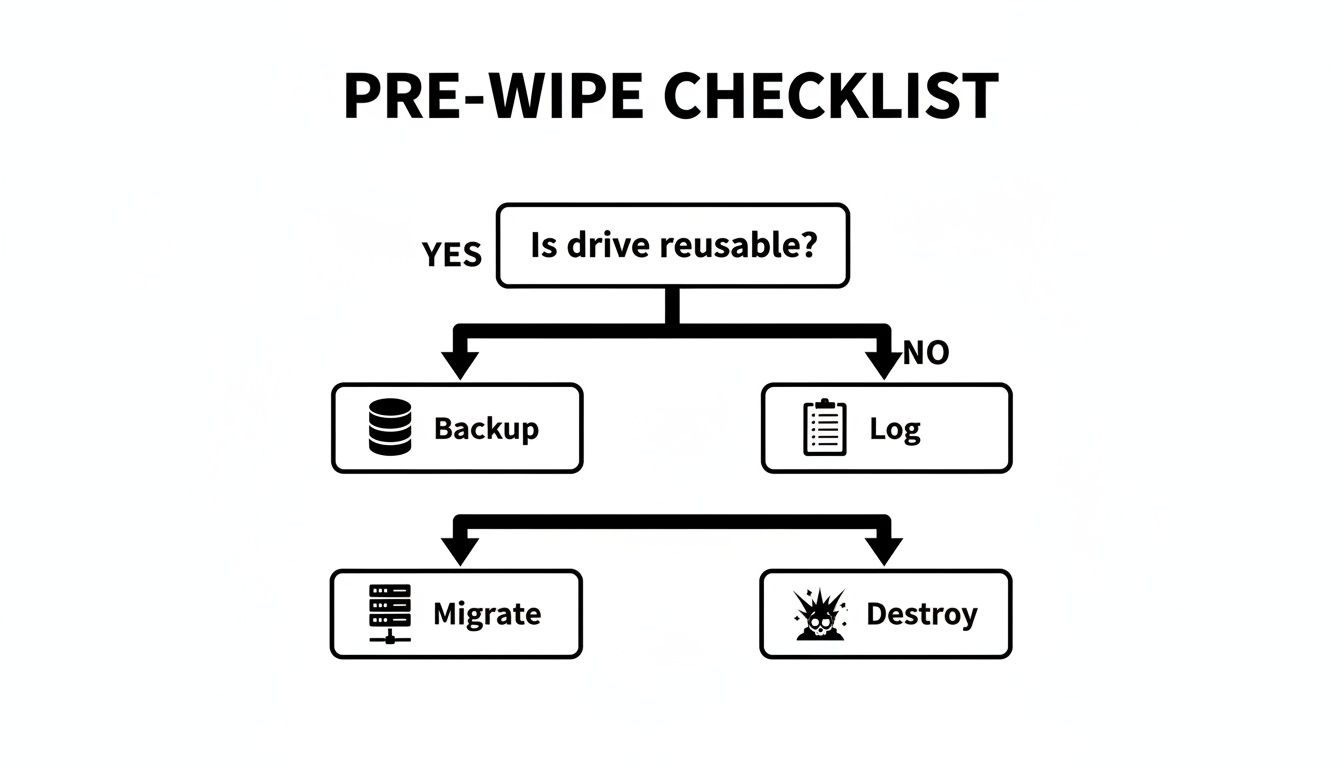
Notice that no matter what, logging the asset is a non-negotiable step. A complete chain of custody is your best defense in proving you handled that drive responsibly.
For HDDs, Software Overwriting is Still King
For decades, the go-to method for sanitizing HDDs has been software overwriting. It's a straightforward process: specialized software writes patterns of data—like all zeros or random characters—over every single sector of the drive. This scrambles the original magnetic signatures, making the old data unreadable.
You might have heard of old standards like the DoD 5220.22-M method, which called for three separate overwrite passes. But technology has moved on. For today's high-density drives, a single, thorough overwrite pass is almost always enough to thwart data recovery. In fact, the National Institute of Standards and Technology (NIST) Special Publication 800-88 Rev. 1 confirmed back in 2014 that one pass is sufficient for most situations.
Just remember, this method is really only effective for magnetic media. Trying it on an SSD is a different story entirely.
Why You Can't Just "Overwrite" an SSD
If you run a standard software overwrite tool on an SSD, you're not just wasting time—you're potentially damaging the drive and failing to erase the data. The problem is the SSD's firmware, which is far more complex than an HDD's.
Here's why traditional overwriting fails:
- Wear Leveling: To extend its lifespan, an SSD's controller intentionally spreads write operations across all its memory cells. When you tell it to overwrite a specific data block, the controller might just redirect that command to a less-used block, leaving the original data perfectly intact.
- Over-Provisioning: SSDs always have more memory than you can see or access. This hidden space is used by the controller to manage the drive and replace failing cells. Your overwriting software can't touch data hiding in these over-provisioned areas.
- Garbage Collection: This is an internal cleanup process that moves data around to optimize performance, all without the operating system's knowledge.
Because of these internal mechanics, you have zero guarantee that a software "wipe" actually overwrote the data you were targeting. The software might report a success, but sensitive files could still be lurking in untouched memory cells. This is a classic case of data remanence—when traces of data stick around even after you've tried to delete them.
Better, Smarter Ways to Sanitize SSDs
So, how do you securely wipe an SSD? You use the tools built right into the drive's own firmware. These commands tell the drive's controller to handle the erasure itself, sidestepping all the problems with external software.
ATA Secure Erase: This command is built into the firmware of most modern ATA drives, including both SSDs and HDDs. When you trigger it, the drive's controller resets every user-accessible block to its original factory state. For an SSD, it's incredibly fast and far more effective than trying to overwrite it from the outside.
There's an even better method if you're using self-encrypting drives (SEDs).
Cryptographic Erase (Crypto-Erase): This is the gold standard for SEDs. These drives encrypt everything by default with an internal media encryption key (MEK). To wipe the drive, you simply delete that key. Instantly, all the data on the drive becomes a meaningless jumble of encrypted garbage. The process takes seconds and is considered forensically secure.
The table below breaks down the pros and cons of these common methods and which drive types they're best suited for.
Drive Wiping Method Comparison HDDs vs SSDs
| Method | How It Works | Best For | Pros | Cons |
|---|---|---|---|---|
| Software Wiping | Overwrites every sector of the drive with new data (e.g., zeros, random characters). | HDDs | Effective for magnetic media, widely available software. | Ineffective on SSDs, can be very time-consuming for large drives. |
| ATA Secure Erase | A firmware command that tells the drive controller to reset all blocks to their factory state. | SSDs (and some HDDs) | Fast, highly effective, and bypasses SSD firmware complexities. | Can be difficult to initiate on some systems, not all drives support it equally well. |
| Crypto-Erase | Deletes the internal encryption key on a Self-Encrypting Drive (SED), making the data permanently unreadable. | Self-Encrypting Drives (SEDs) | Nearly instantaneous, forensically secure, minimal wear on the drive. | Only works on SEDs; the drive must have encryption enabled from the start. |
| Degaussing | Exposes the drive to a powerful magnetic field, scrambling the magnetic data on HDD platters. | HDDs | Extremely fast and effective for HDDs. | Renders the HDD unusable, completely ineffective on SSDs. |
| Physical Destruction | Grinding, shredding, or melting the drive into tiny pieces. | HDDs & SSDs (when data must be destroyed) | The ultimate guarantee of data destruction, verifiable. | Destroys the drive, requires specialized equipment, can be costly. |
Choosing the right data wiping method is a cornerstone of any secure IT asset disposition (ITAD) plan. Matching the technique to the technology—overwriting for HDDs, Secure Erase or Crypto-Erase for SSDs—is the only way to ensure that when you decide to clean a drive, the data is truly gone for good.
When Physical Destruction Is Your Only Option
Software-based wiping methods are powerful, but they have their limits. When you're staring at a physically damaged hard drive that won't even power on, software isn't going to help. The same goes for ancient, end-of-life media or situations where you're bound by the absolute strictest compliance rules.
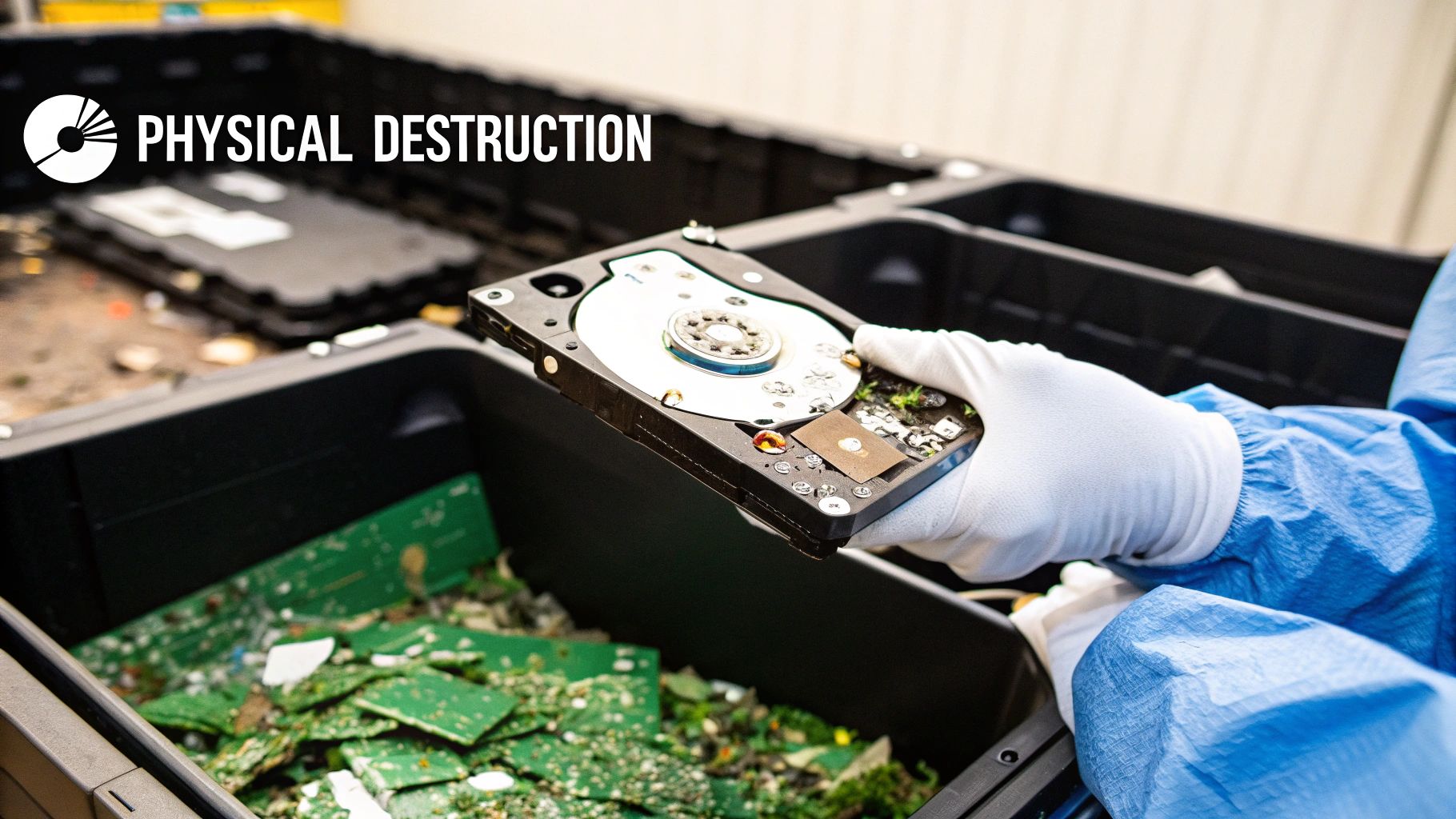
In these cases, software sanitization just doesn't cut it. The only way to get to a 100% guaranteed, forensically unrecoverable state is to physically destroy the drive itself. We're not talking about taking a hammer to it in the back lot. Professional physical destruction is a documented, verifiable process that makes data recovery physically impossible. When there can be zero doubt, destruction is the only path forward.
The Magnetic Wipe: Degaussing
One of the fastest ways to destroy data on magnetic media is degaussing. A degausser is a beast of a machine that generates an unbelievably powerful magnetic field. When you pass a traditional Hard Disk Drive (HDD) or a magnetic backup tape through this field, the magnetic domains on the platters—where your data actually lives—are instantly and permanently scrambled into random, unreadable noise.
The process is quick and clean, but you absolutely have to know what it works on and what it doesn't.
- Effective On: Standard HDDs, LTO and DLT tapes, and other magnetic storage.
- Useless On: Solid-State Drives (SSDs), USB flash drives, or any other flash-based media. SSDs store data electronically in memory cells, not magnetically. You could hit an SSD with the world's most powerful degausser, and it would have zero effect on the data.
It's also a one-way street. Degaussing completely fries the drive itself, rendering it inoperable forever. While the data is gone for good, the drive can never be used again.
Mechanical Destruction: Shredding and Crushing
For the highest level of security—and the only way to deal with SSDs—nothing beats just tearing the thing to pieces. Mechanical destruction uses industrial-grade machinery to physically obliterate the drive and its internal components, especially the data-bearing platters or memory chips.
This usually happens in one of two ways:
- Shredding: Think of a wood chipper, but for technology. A hard drive shredder uses powerful steel teeth to grind a drive into tiny, irregular metal fragments. We can even adjust the final particle size to meet specific security standards, sometimes reducing drives to pieces no larger than a few millimeters.
- Crushing: A crusher uses immense hydraulic pressure to bend, break, and puncture the hard drive, completely mangling the internal platters and controllers. It's effective, but shredding is generally the preferred method because it guarantees more complete obliteration of the storage media.
When an enterprise is staring down a compliance audit or needs absolute proof of destruction, a Certificate of Destruction from a certified shredding service is the gold standard. It transfers liability and creates a defensible record showing the data is gone forever.
This is the only method that works on everything: HDDs, SSDs, hybrid drives, you name it. It provides tangible, visible confirmation that the data—and the device it lived on—is irrevocably destroyed.
The Enterprise Shift to Certified Destruction
We're seeing more and more organizations move away from handling wiping in-house and turning to professional, certified destruction services. This shift is all about guaranteed security, compliance assurance, and minimizing risk. Physically shredding a drive eliminates any lingering doubt about data remanence that can still exist with software, especially on tricky modern SSDs.
The market backs this up. For businesses that need irreversible data protection, physical destruction is the dominant and fastest-growing method. As of 2024–2025, the global hard drive destruction market is valued in the multi-billion-dollar range and is projected for double-digit growth. Industry reports peg the market at roughly USD 1.65–1.93 billion in 2024, with projections to soar past USD 5.05 billion by 2035.
This trend makes it clear: for businesses managing a large volume of IT assets, partnering with a certified ITAD vendor for physical destruction isn't just a security move—it's a strategic financial decision. It provides a clear, predictable operational expense, which is a huge factor when you're looking at the total hard drive shredding cost for your organization. When data security is non-negotiable, physical destruction delivers the ultimate peace of mind.
Verifying and Documenting Data Destruction
Erasing data is only half the battle. For any business, the real prize is having an irrefutable, auditable record that proves the data is gone forever. This isn't just paperwork; it's the documentation that satisfies auditors, shields you from liability, and checks the boxes for compliance regulations like HIPAA, GDPR, and SOX.
Without that proper paper trail, even the most thorough data wipe is just a claim. You need to be able to prove it. This final step is what transforms data sanitization from a simple IT task into a legally defensible business process, closing the loop on an asset's lifecycle.
Confirming a Successful Software Wipe
After you've run a software-based wipe like ATA Secure Erase or a multi-pass overwrite, verification isn't optional. You can't just take the progress bar's word for it. You need solid confirmation from a certified tool that the job was completed successfully, with zero errors.
This is where professional data wiping software shines. It generates detailed, tamper-proof reports for this very reason. These logs are your first line of defense in an audit and should always contain:
- Asset Information: The serial number of the hard drive and the computer it came from.
- Wiping Standard Used: The specific method you applied (e.g., NIST 800-88 Purge, DoD 5220.22-M).
- Verification Results: A clear pass/fail confirmation that the tool scanned sectors after the wipe and found no leftover data.
- Timestamp and Technician ID: A record of exactly when the wipe happened and who performed it.
For particularly high-stakes data, some companies take it a step further by doing random forensic spot-checks. This means they grab a small sample of wiped drives and actively use data recovery tools to try and pull something—anything—off them. When those tools come up empty, it gives you an even higher level of confidence that your process is rock-solid.
The Anatomy of a Certificate of Destruction
When physical destruction is your chosen path, your proof comes in the form of a Certificate of Destruction. Think of this as more than a receipt; it’s a formal legal document that officially transfers liability from your company to your ITAD vendor.
A valid certificate is the cornerstone of a secure chain of custody. You can learn more about the importance of a Certificate of Destruction for compliance, but the bottom line is that every legitimate certificate must include specific details to hold up in an audit.
An incomplete or generic certificate is as good as no certificate at all. If it doesn't list the individual serial numbers of the destroyed assets, it fails to provide a closed-loop audit trail, leaving your organization exposed.
At a minimum, a proper certificate must clearly state:
- Unique Serial Numbers: A full manifest of every single hard drive serial number that was destroyed.
- Destruction Method: The exact process used (e.g., shredding, crushing) and the final particle size.
- Date and Location of Destruction: When and where the assets met their end.
- Witness Signatures: The names and signatures of the people who witnessed the destruction.
- Chain of Custody Reference: A number that ties the certificate back to the secure transfer of assets from your facility.
This level of detail is absolutely non-negotiable for proving compliance and showing due diligence. As part of this, keeping meticulous internal records is just as vital. While focused on ITAD, the principles of organizing important documents can provide a helpful framework for your internal processes. This documentation ensures every single asset is tracked from your door to its final, documented end-of-life—a core pillar of any professional ITAD service.
Hard Drive Wiping FAQs: What You Really Need to Know
When it comes to getting rid of old hard drives, a lot of questions pop up. Getting straight answers is the only way to keep your data safe and stay compliant. Here are some of the most common things IT managers and business owners ask when they need to securely wipe a hard drive.
Is a Factory Reset the Same Thing as Wiping a Drive?
Not even close. You should never confuse a factory reset with a secure data wipe, especially in a business setting. A factory reset just puts a device's software back to its original state.
Sure, it makes your old files hard to find through the normal user interface, but the data is almost always still there. Anyone with basic data recovery software can pull it right off the drive, leaving your company completely exposed. To truly secure your data, you need a dedicated method like software overwriting, cryptographic erasure, or just physically destroying the drive.
Can Someone Recover Data After a Single Software Wipe?
For a traditional spinning hard drive (HDD), the answer is almost always a firm no. The experts at NIST, in their SP 800-88 guide, confirm that a single, verified overwrite pass is all it takes to make data unrecoverable by any commercial or lab-grade tool. The old myth about needing multiple passes comes from ancient, low-density drive technology that just doesn't apply anymore.
SSDs, however, are a different beast. Their firmware is designed to spread wear across memory cells, which means a simple software overwrite can miss data fragments tucked away in hidden areas. If you're dealing with highly sensitive information on an SSD, physical destruction is the only way to be absolutely certain.
Do I Have to Wipe Drives Before Sending Them to an ITAD Vendor?
You can, but you don't have to if you're working with a certified and reputable ITAD partner like Beyond Surplus. In fact, secure and documented data destruction is one of the main services a professional ITAD firm provides.
A good vendor maintains an unbroken, secure chain of custody from the second your gear leaves your office until the data is gone for good. They'll issue a formal Certificate of Destruction as proof, which shifts the liability from your shoulders to theirs. For many businesses, outsourcing this process actually delivers a higher level of security and compliance assurance.
What’s the Best Way to Sanitize an SSD?
The right method really hinges on what's next for the drive: reuse or disposal.
If you plan to reuse it: The most effective way is to use the drive's built-in firmware commands. Look for ATA Secure Erase or Crypto-Erase. These tools tell the SSD's own controller to zap every memory cell, which is far more reliable than trying to overwrite it with external software.
If you're disposing of it: When an SSD holds top-secret data or is simply at the end of its life, physical shredding is the only 100% foolproof method.
And remember, degaussing (using powerful magnets) does absolutely nothing to an SSD because they don't store data magnetically. Using the wrong method for an SSD is a huge, unnecessary security risk.
When your organization needs absolute certainty that its data has been properly destroyed, professional services are the only way to ensure compliance and security. Contact Beyond Surplus for certified electronics recycling and secure IT asset disposal at https://technostolic.com.