You’ve probably got two clocks running at once right now. The lease end date is fixed, and the business can’t afford a messy cutover. Facilities is tracking floor plans and furniture. IT is staring at racks, firewalls, laptops, access badges, old drives, and a pile of retired gear nobody wants to own during the move.
That’s where an office relocation service either proves its value or creates new risk. A competent partner doesn’t just move boxes. They coordinate people, sequence work, protect uptime, and handle the ugly middle ground between “still in production” and “ready for disposal.” The most overlooked piece is often the most dangerous one: what happens to IT assets that are being retired, replaced, or left behind during the move.
What an Office Relocation Service Includes
An office relocation service should be treated like a project delivery function, not day labor with dollies. The difference matters. A general mover transports items from one address to another. A relocation service manages dependencies, site readiness, labeling logic, furniture breakdown and reassembly, elevator scheduling, vendor sequencing, and move-day command.
The market size tells you why this has become a specialized discipline. The corporate relocation service market is valued at USD 20.22 billion in 2025 and projected to reach USD 32.47 billion by 2032, growing at a 7% CAGR, with North America holding over 41% of the market according to Coherent Market Insights on the corporate relocation service market. That scale exists because business moves are operational events, not simple transportation jobs.
The core scope most companies actually need
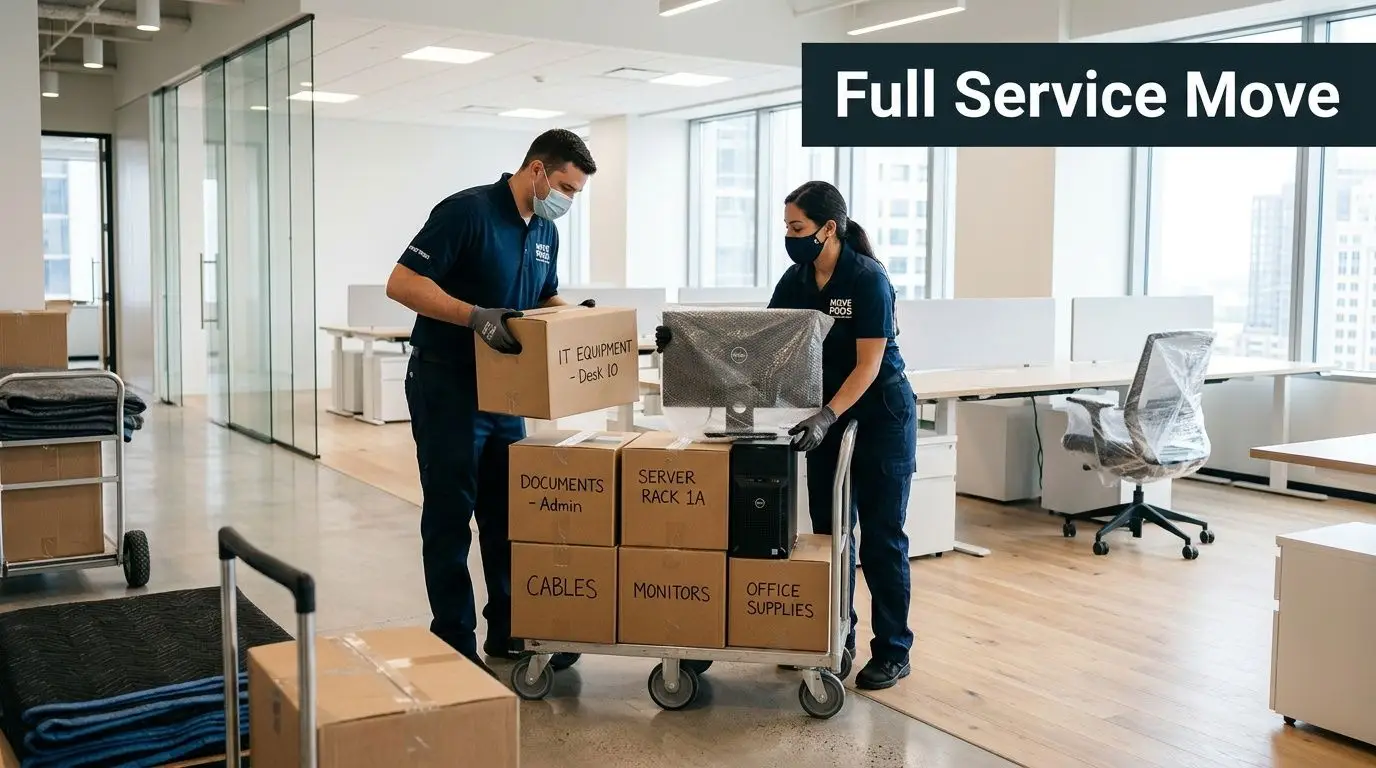
A complete office relocation service usually includes several workstreams running in parallel:
- Project management: One owner keeps the master schedule, escalation list, building contacts, and vendor coordination in line.
- Space planning: Teams map what goes where before move day, not while a truck is waiting at the curb.
- Furniture handling: This covers disassembly, protection, staging, reassembly, and punch-list corrections.
- Specialty equipment handling: Printers, lab devices, conference room systems, and server gear need different packing and transport rules.
- Move execution: Loading, transport, floor protection, placement, debris removal, and post-move issue tracking.
A useful way to think about it is general contractor versus subcontractor. The moving crew is one trade. The office relocation service should function like the GC, coordinating all the trades so one delay doesn’t wreck the rest of the schedule.
What gets missed when companies buy only “the move”
Most relocation problems start with scope that’s too narrow. If your vendor quote covers trucks and labor but doesn’t address decommissioned workstations, badge systems, leftover cabling, or obsolete servers, your team inherits that problem at the worst possible moment.
That’s also why cleanout and disposition should be planned early. If a floor has old cubicles, broken peripherals, scrap electronics, or abandoned storage rooms, fold that into the project while schedules are still flexible. A dedicated office cleanout service keeps dead inventory from clogging loading docks and slowing active move work.
Practical rule: If an item won’t be installed in the new office, decide before move week whether it will be sold, recycled, destroyed, or scrapped.
Furniture planning deserves more attention than it usually gets. Teams often focus on fit and finish but miss daily usability. During replanning, a resource on ergonomic small business office furniture can help operations teams avoid replacing one bad layout with another.
What a strategic partner does differently
A serious relocation partner asks questions that a basic mover won’t:
| Area | Basic mover | Real office relocation service |
|---|---|---|
| Floor plans | Uses them if provided | Helps validate them before move day |
| IT assets | Moves what’s labeled | Coordinates handling rules and cutover order |
| Surplus equipment | Usually excluded | Flags it for disposition planning |
| Building logistics | Books truck access | Manages dock, elevator, protection, and timing |
| Post-move issues | Ends at delivery | Tracks punch-list and unresolved problems |
That’s the standard businesses should use. If the provider can’t talk through dependencies, they’re selling transport, not relocation management.
The Step-by-Step Office Relocation Planning Timeline
Most office moves go sideways for one reason: tasks are started in the right order on paper, but not in the right order in real life. The lease is signed, the movers are booked, and then everyone realizes the new site still needs cabling decisions, badge access setup, or disposal approval for retired equipment.
Poor planning has a direct operational cost. A 2025 ULI Global Office Report found that average relocations cause a 15% to 25% productivity dip lasting 2 to 4 weeks, and an IFMA study noted that one-size-fits-all movers can extend downtime by 20% to 30%, as summarized by Roane’s Rigging on office relocating.
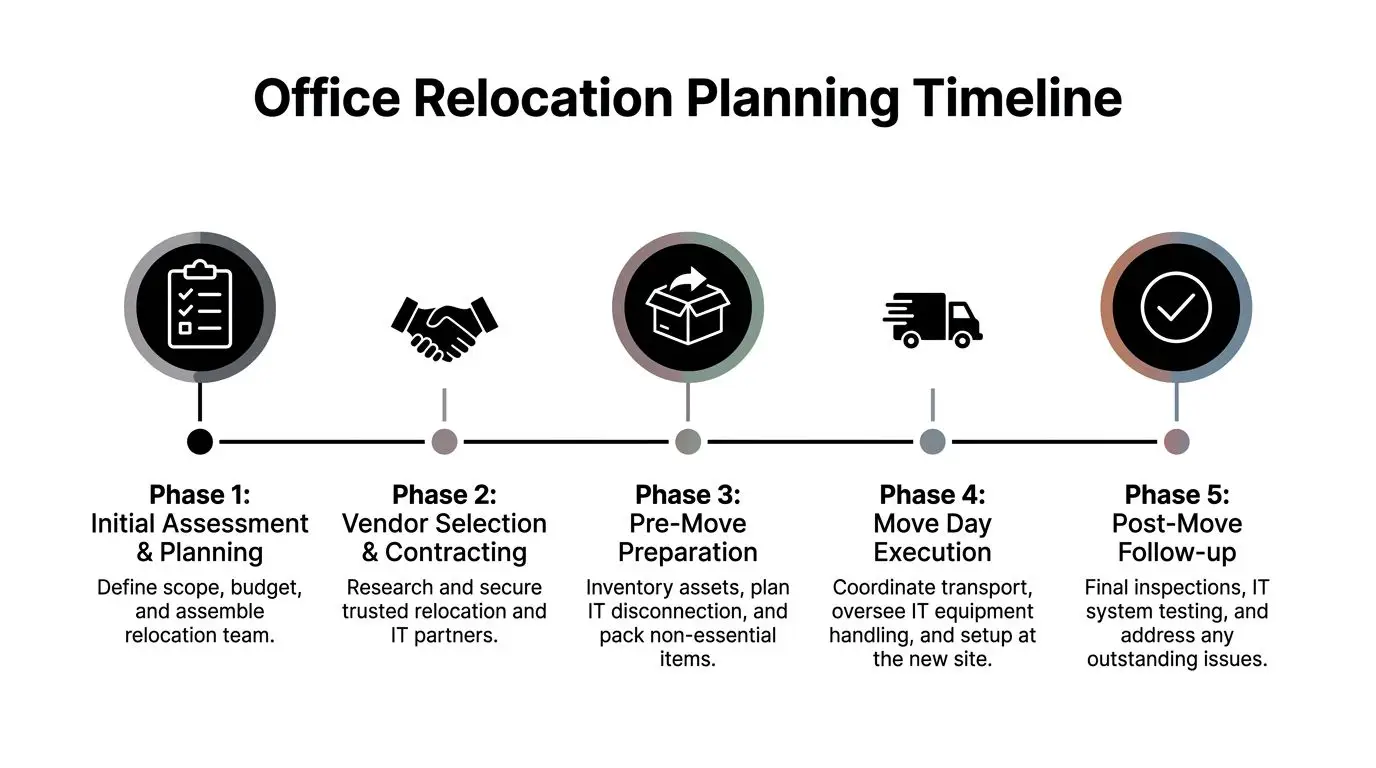
Three to six months out
This is the phase where you decide whether the move will be controlled or reactive.
Set up a cross-functional relocation team with facilities, IT, security, HR, operations, and finance. One person needs authority to approve changes fast. If every decision waits for committee review, the schedule gradually slips until it turns into a weekend fire drill.
Lock down these items first:
- Scope definition: What is moving, what is being replaced, and what is being retired.
- Budget boundaries: Include relocation labor, IT handling, disposal, furniture work, and post-move fixes.
- New site validation: Confirm power, network readiness, access paths, elevator reservations, and room use.
- Asset inventory: Tag everything by destination, owner, and status.
Sixty to ninety days out
Now, the move stops being abstract. Every unresolved decision now creates work later.
Build a room-by-room move matrix. It should show source location, destination location, item type, handling method, and final disposition. Don’t rely on verbal instructions or color stickers alone. Use a spreadsheet or asset tool that both facilities and IT can read.
A strong pre-move package includes:
Employee communication plan
Tell staff what they pack, what they leave, and what changes in the new office.Vendor sequencing
Movers, low-voltage teams, furniture installers, copier vendors, shred providers, and IT disposal vendors can’t all arrive at once and work efficiently.Site-specific move rules
Loading dock windows, certificate of insurance requirements, after-hours access, and freight elevator restrictions need to be confirmed in writing.
The cleanest moves are usually quiet. That happens because the decisions were made early, not because the move was easy.
Thirty days out
At this point, stop redesigning and start rehearsing. At this stage, project managers earn their keep.
Test your assumptions. Walk the new site with floor plans in hand. Check room names, outlet locations, rack space, conference room needs, printer areas, and storage constraints. If one department’s seating plan changes, update the labels and the move matrix immediately.
Use this short control list in the final month:
- Freeze nonessential scope changes: Late adds create errors.
- Pack archives and low-use materials early: Keep active work areas operational.
- Confirm all retired IT assets: Nothing should be “set aside for now” without an owner.
- Reconfirm vendor arrival windows: Building access mistakes are common and avoidable.
Move week
Move week is about command and sequence, not brute force. One person should run the floor. Another should manage dock and truck traffic. IT should work from a cutover checklist, not memory.
A practical move-week rhythm looks like this:
| Timeframe | Priority |
|---|---|
| Before disconnect | Final user reminders, label verification, backup confirmation |
| During disconnect | Critical systems first, chain-of-custody logging for sensitive assets |
| During transport | Staged loading by destination and handling type |
| At new site | Network, phones, shared devices, then user workstations |
| End of day | Floor walk, issue log, unresolved items assigned to owners |
First week after the move
Don’t declare victory when the last crate is gone. The first business week is where hidden issues show up. Missing adapters, misrouted monitors, badge failures, and abandoned storage all show up after people sit down and start working.
Run a post-move audit with three lenses:
- Operational readiness: Can teams work, print, meet, and access shared spaces?
- Technology stability: Are network, phones, conference rooms, and specialty systems performing normally?
- Disposition closure: Has all retired equipment been removed, documented, and processed correctly?
What works and what doesn’t
What works is boring in the best way. Named owners, frozen scope, documented inventory, tested assumptions, and a written issue log.
What doesn’t work is the common shortcut list: “we’ll sort surplus after the move,” “IT can handle that ad hoc,” and “the mover says they’ve done lots of offices.” That’s how small misses stack into long downtime.
Managing Critical IT and Data Security During a Move
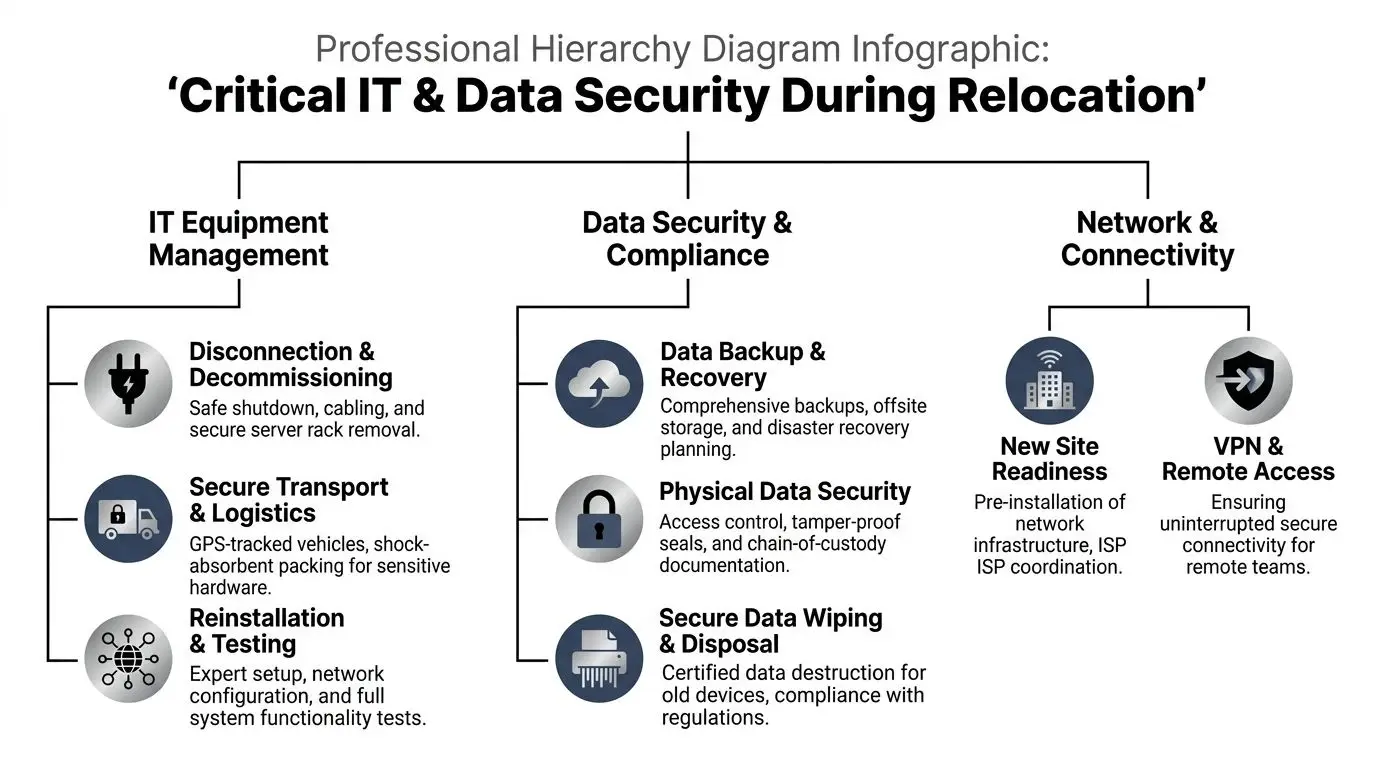
The highest-risk part of an office relocation isn’t usually the desks. It’s the technology estate sitting behind the desks, under them, in the closets, in the server room, and in the pile marked “old equipment.” Standard movers can handle weight and volume. They are rarely set up to manage data-bearing devices, regulated assets, backup discipline, chain of custody, and compliant disposition.
That gap is where relocation projects get expensive.
Research summarized by Dependable Movers SF on office relocation services states that 65% of enterprises experienced data breaches from improper IT disposal during relocations, with costs exceeding $4.5 million per incident. The same source notes that unsequenced IT moves cause 40% higher hardware failure rates, and neglecting proper pre-move backups can extend recovery time by 70%.
The biggest mistake with office IT moves
Teams often treat all hardware as if it falls into one category. It doesn’t.
You have at least three classes of assets during a move:
| Asset class | What it needs |
|---|---|
| Production equipment | Controlled shutdown, secure transport, rapid reinstallation |
| Replace-in-place equipment | Data handling decision, removal, documentation |
| Retired or obsolete equipment | Certified destruction or compliant recycling path |
If you mix those streams, you lose control. A rack server awaiting cutover should never ride in the same process as obsolete laptops waiting for destruction approval. One belongs in migration planning. The other belongs in ITAD workflow.
The migration sequence that prevents trouble
A stable move starts with a full audit. Every laptop, desktop, switch, firewall, server, access point, and storage device should be logged by asset tag, user, role, and destination. Then split the list by criticality. Some systems can wait until Monday. Others can’t.
A practical handling sequence looks like this:
Back up first
Use off-site or cloud backups and confirm they’re restorable, not just completed.Document configurations
Save switch configs, firewall rules, server roles, VoIP dependencies, and key credentials in a controlled repository.Separate transport methods
Sensitive equipment needs anti-static protection, tamper-evident controls, and a clear custody trail.Install core services before endpoints
Network, internet, firewalls, switching, wireless, and shared devices should be live before general workstation deployment.Validate before staff return
Use practical checks such as VoIP call quality, connectivity, and application access before opening the floor.
Why ITAD belongs inside the move plan
This is the blind spot in many office relocation service contracts. The provider may offer “electronic recycling” as a line item, but that phrase can mean almost anything unless you ask for process, documentation, and certifications.
Retired drives, old backup appliances, decommissioned access control panels, copiers with storage, and surplus laptops all carry risk. During a move, those assets are especially vulnerable because they sit in temporary staging areas, get handled by multiple people, and may leave the site before anyone verifies final disposition.
Operational rule: If a device stored company data, don’t let it leave the project without a destruction method, a custody record, and a named owner.
That’s why IT leaders should insist on destruction standards that match their policy. If your team uses NIST SP 800-88 guidance for media sanitization, the move plan should reference that standard directly. “Disposed” is not a sufficient status for a drive.
Security controls that matter at the new site
Data security during relocation isn’t only about disposal. It also starts at the destination.
Before employees arrive, confirm who has physical access to telecom rooms, staging areas, and the server room. Door hardware, badge provisioning, alarm integration, and restricted access workflows should be active on day one. For facilities teams refreshing entry systems during a move, a resource on seamless access control system integration is useful because physical security and IT security meet at the same doors.
Here’s the minimum control set I’d expect for a serious move:
- Chain-of-custody records: Especially for servers, storage, firewalls, and retired endpoint batches.
- Tamper-aware packaging: Not generic moving blankets for sensitive electronics.
- Controlled staging zones: Separate active deployment from disposal hold areas.
- Named approval path for destruction: No asset should be shredded or wiped without authorization.
- Post-move reconciliation: Match what arrived, what was redeployed, and what was destroyed.
What standard movers usually miss
Most standard movers are good at route execution. They’re not structured for evidence handling. They don’t typically own data destruction policy, media sanitization standards, or regulated asset workflows. That doesn’t make them bad vendors. It means they need boundaries.
Use them for furniture and commercial logistics. Use specialist processes for data-bearing devices and end-of-life IT. When companies blur that line, they’re usually pushing technical and compliance work onto internal staff who are already overloaded with the cutover.
That’s the point: secure IT asset disposition isn’t the cleanup after the move. It’s part of the move.
How to Select the Right Relocation Partner
Most buyers compare office relocation vendors on price, truck count, and schedule availability. That’s not enough. Selection should be based on risk transfer. If a provider handles furniture well but fumbles chain of custody, specialty equipment, or compliance documentation, the cheapest bid can become the most expensive decision on the project.

Questions that separate operators from sales teams
Ask direct questions. If the answers are vague, you’ve learned something useful.
Use this scorecard in vendor interviews:
- Who runs the project on move day: Ask for the role, escalation path, and how issues are documented.
- How do you handle IT equipment: Listen for asset logs, anti-static packing, custody controls, and coordination with internal IT.
- What happens to retired electronics: If they say “we recycle that,” ask how, where, and under what documentation.
- What proof do you provide after service: You want a paper trail, not verbal assurance.
- Have you worked in regulated environments: Healthcare, finance, education, and government moves usually expose weak vendors fast.
Good answers are specific
A strong partner can describe process without improvising. They should explain labeling, staging, handoff points, and exceptions. They should know when they are the right provider and when another specialist needs to be brought in.
Weak vendors hide behind broad claims like “white glove” or “end-to-end.” Those phrases aren’t useless, but they don’t tell you what happens to a retired firewall, a copier hard drive, or a pallet of out-of-warranty laptops during a weekend move.
A relocation partner earns trust by reducing unknowns. If the proposal creates ambiguity, the risk is still sitting with you.
Reputation checks that are actually useful
Online reviews are only a starting point. Look for feedback that mentions communication quality, issue resolution, and whether the provider performed under pressure. If you want a model for how detailed testimonials can help with vendor screening, JRG Property UK Ltd client reviews are a useful example of what substantive customer feedback looks like.
Internal procurement teams should also use a formal checklist before award. A vendor due diligence checklist helps keep the conversation anchored to insurance, chain of custody, service scope, and post-project documentation rather than just price.
The non-negotiables
A relocation provider doesn’t need to do everything in-house. They do need to be honest about where their scope ends.
At minimum, look for:
| Vetting area | What you want to hear |
|---|---|
| Project control | Named PM, documented runbook, escalation path |
| IT handling | Specialized packing and sequenced cutover awareness |
| Asset disposition | Defined process for data-bearing and obsolete devices |
| Documentation | Clear records after pickup, move, and destruction |
| Coordination | Willingness to work with facilities, IT, security, and compliance |
Choose the provider that reduces your exposure, not the one that gives the shortest estimate.
Navigating Relocation Costs and Compliance Documentation
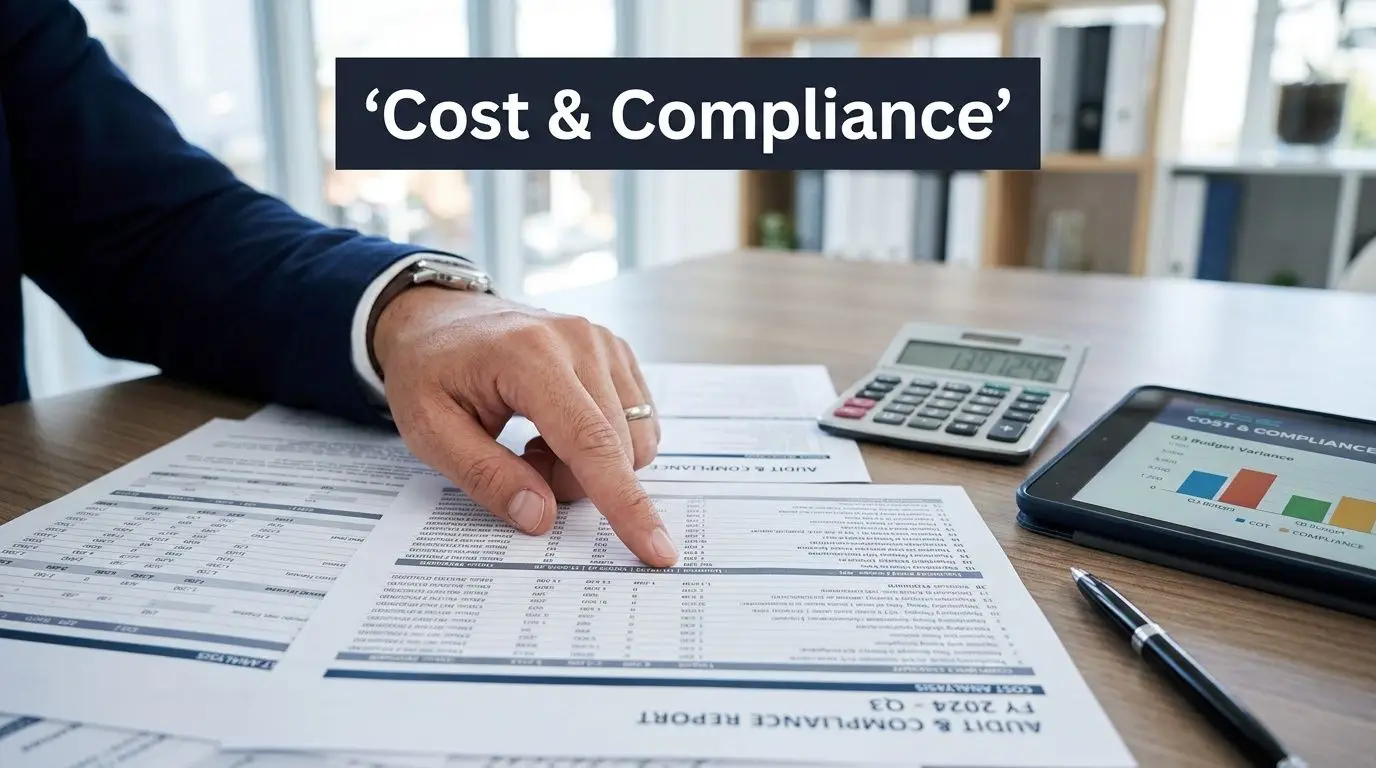
Office move quotes often look comparable until you read the exclusions. One vendor includes packing labor but not crate returns. Another includes disconnect but not reconnect. A third offers “e-waste removal” with no statement about data destruction, chain of custody, or certificates.
That’s why cost review has to be tied to scope review. You’re not just buying labor hours. You’re buying execution, accountability, and in some cases legal defensibility.
Where relocation costs usually come from
Most business move costs sit inside a few buckets:
- Labor and transport: Packing, loading, delivery, placement, overtime, and access constraints.
- Special handling: Server gear, medical devices, lab equipment, and executive installations.
- IT cutover work: Disconnect, transport protection, reinstall, and validation.
- Disposition work: Removal, data destruction, recycling, and documentation.
- Post-move correction: Punch-list labor, debris removal, and missing-item resolution.
The hidden line item is usually rework. If a team has to revisit the site because labels were wrong, rooms weren’t ready, or disposal wasn’t approved in time, the quote may have been cheap but the project won’t be.
Compliance documents are not paperwork filler
For retired IT assets, the documents after the move matter almost as much as the physical handling. Certificates of data destruction and recycling records help prove what happened to the equipment and when responsibility transferred.
If your internal team needs a model for what that record should look like, review a destruction certificate template. It helps teams ask the right questions before assets leave the site.
Technical compliance can trigger direct cost
A common mistake in office moves is treating server room planning like a fit-out detail instead of a business continuity issue. Technical compliance matters. Server rooms must stay within the 100-meter Ethernet UTP length limit, and non-compliance can lead to 30% to 50% throughput reduction and outages costing enterprises an average of $5,600 per minute, according to OfficeFinder on office relocation high-tech equipment.
That single example shows the broader truth. Compliance isn’t only about regulations. It’s also about whether the new office can support the technology you just paid to move.
How Beyond Surplus Secures Your Relocation's IT Assets
A relocation plan is only complete when the IT asset path is closed from beginning to end. That means live equipment is migrated correctly, obsolete devices are separated early, data-bearing media is destroyed under a defined standard, and the documentation package is strong enough for audit, legal, and internal signoff.
That need is growing with the relocation volume itself. Between March 2022 and March 2023, 593 U.S. public companies relocated headquarters, a 29% increase from the prior year, according to Clancy Moving on the business relocation boom. More business moves mean more retired hardware, more temporary staging, and more chances for equipment to fall outside normal controls.
Beyond Surplus fits into that gap as the specialist for the part of the move that general office movers usually don’t own well. The company focuses on IT asset disposition, secure data destruction, electronics recycling, product destruction, and logistics coordination for business clients. That matters during relocations because the risky devices are often the ones not headed to the new floor plan.
Where the service fits in the move
The best time to engage an ITAD specialist is before move week. That gives the project team time to identify what will be redeployed, what has resale value, and what needs certified destruction.
A practical handoff looks like this:
- Pre-move asset review: Separate active equipment from surplus and retired devices.
- Pickup and logistics coordination: Remove non-deploying assets before they clutter staging areas.
- Secure data destruction: Handle drives, servers, laptops, and storage media under controlled process.
- Certificates and reporting: Close the loop for compliance and internal records.
- Value recovery where appropriate: Reduce waste on equipment that still has a secondary market.
Why this reduces project risk
The biggest benefit is role clarity. Facilities manages the physical move. IT manages cutover. The ITAD partner manages retired and surplus electronics so they don’t become an unmanaged side pile in a conference room or loading dock cage.
For organizations that need a clearer view of that service scope, the company’s Georgia ITAD services page shows how secure pickup, destruction, recycling, and asset recovery fit into broader business operations. Even when the office move is local, the compliance exposure isn’t.
The companies that handle relocations well don’t treat old equipment as an afterthought. They treat it as a controlled stream with custody, authorization, destruction, and documentation built in from the start. That’s the discipline that keeps a relocation from turning into a security incident weeks later.
If your team is planning an office move and needs certified electronics recycling, secure data destruction, or business IT asset disposition built into the project, contact Beyond Surplus.