Decommissioning a server is far more complex than just unplugging a machine from the wall. For any business, from a growing SMB to a large enterprise, a single misstep in this process can lead to catastrophic data breaches, steep regulatory fines, and significant financial loss. A structured, comprehensive server decommissioning checklist is not just an operational best practice; it's a critical risk management tool that safeguards your organization's most sensitive information and physical assets. Without a clear plan, you risk leaving confidential data exposed on discarded drives, violating compliance mandates like HIPAA or the FTC Disposal Rule, and losing potential value from recoverable hardware.
This guide provides a definitive 10-step checklist designed for IT directors, data center operators, and business managers. We will walk through every essential phase, transforming a potentially chaotic task into a secure, compliant, and efficient workflow. You will learn how to execute a flawless decommissioning, covering everything from initial data inventory and secure sanitization to coordinating logistics with a certified IT Asset Disposition (ITAD) partner like Beyond Surplus. Following these steps ensures your process is not only thorough but also auditable, protecting your company from the severe consequences of a poorly managed hardware lifecycle. This checklist is your roadmap to mitigating risk, maximizing asset value, and ensuring complete peace of mind.
1. Data Inventory and Classification
Before a single cable is unplugged, the most critical step in any secure server decommissioning checklist is a comprehensive data inventory. This foundational process involves meticulously auditing and classifying every piece of information stored on the target servers. It answers the fundamental questions: What data do we have, where does it live, and how sensitive is it? Think of it as creating a detailed map before embarking on a complex journey; without it, you risk non-compliance, data breaches, and significant financial penalties.
This audit is not merely a technical exercise; it is a core component of risk management and regulatory compliance. By categorizing data into tiers such as Public, Internal, Confidential, or Regulated, you directly determine the required actions for data migration, archival, or destruction.
Why This Step is Non-Negotiable
Proper data classification dictates the entire decommissioning workflow. For instance, a server holding public-facing marketing materials requires a different sanitization protocol than one containing protected health information (PHI) or payment card industry (PCI) data. Failing to identify and classify this information upfront can lead to catastrophic compliance failures under regulations like HIPAA, GDPR, or the FTC Disposal Rule.
Key Insight: The initial data inventory and classification phase is the single most important factor in determining the scope, cost, and risk profile of your entire server decommissioning project. Getting this wrong can invalidate all subsequent security measures.
Actionable Implementation Plan
To execute this step effectively, follow a structured approach:
- Deploy Automated Tools: Use automated data discovery and classification software to scan servers for sensitive data patterns. These tools can quickly identify social security numbers, credit card information, and other personally identifiable information (PII) that may be hidden in unstructured files.
- Engage Key Stakeholders: Involve your legal, compliance, and departmental data owners from the very beginning. These teams provide the necessary context to classify data accurately according to both internal policies and external regulations.
- Document Everything: Create a detailed data inventory spreadsheet or database entry for each server. This log should include the server ID, data types discovered, classification level, data owner, and the decided-upon action (e.g., "Migrate to Cloud Storage" or "Sanitize per NIST 800-88 Standards"). For assistance with certified data destruction, a partner like Beyond Surplus can ensure the process meets all compliance requirements.
2. Secure Data Wiping or Hard Drive Destruction
Once data is classified, the next step in a secure server decommissioning checklist is its permanent and irreversible destruction. This crucial phase ensures that all information, especially sensitive PII, PHI, or PCI data, is rendered completely unrecoverable. It involves executing certified data sanitization using either software-based wiping methods that overwrite existing data multiple times or physical destruction that physically annihilates the storage media, making data retrieval impossible.
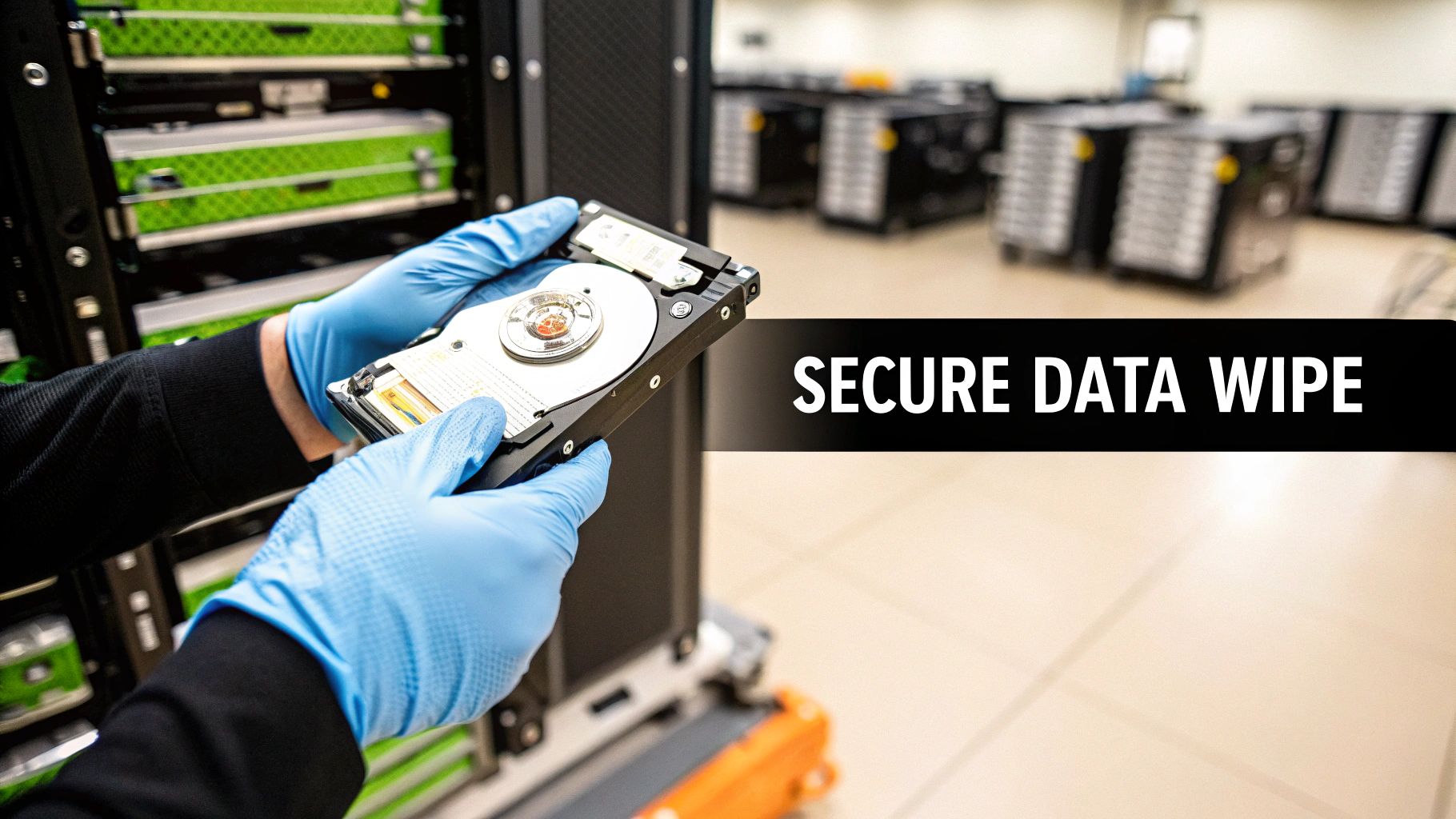
This step is not merely about deleting files; it is a fundamental security control that provides a verifiable audit trail for compliance. Regulations like the FTC Disposal Rule and HIPAA mandate that data must be properly destroyed, not just erased. Choosing the right method, whether it's a DOD 5220.22-M wipe or on-site shredding, directly mitigates the risk of a data breach from discarded hardware.
Why This Step is Non-Negotiable
Failing to properly sanitize storage media before disposal is one of the most common and damaging security failures. A simple "format" or "delete" operation leaves data easily recoverable with basic software tools. For organizations in regulated industries like healthcare or finance, improper data destruction can lead to severe fines, legal action, and irreparable reputational damage. Physical destruction or certified wiping is the only way to guarantee that your retired server assets do not become a source of liability.
Key Insight: The certificate of data destruction is as important as the destruction itself. This document is your legal proof of compliance and serves as a critical record during security audits, demonstrating that you have met your due diligence obligations.
Actionable Implementation Plan
To ensure data is destroyed in a compliant and defensible manner, follow these steps:
- Select the Appropriate Method: Determine the destruction method based on your data classification. For highly sensitive data, on-site physical shredding is the gold standard. For less critical assets or drives intended for reuse, a multi-pass data wipe following standards like NIST SP 800-88 is often sufficient.
- Maintain Chain of Custody: If using an off-site service, ensure a documented and unbroken chain of custody from the moment the drives leave your facility to their final destruction. This log should track every individual who handles the assets.
- Obtain and Verify Documentation: Never complete the process without receiving a serialized certificate of data destruction from your vendor. This certificate should list the unique serial numbers of every hard drive or storage device destroyed. A partner like Beyond Surplus provides these essential compliance documents for all data destruction services, ensuring your process is fully auditable.
3. Hardware Asset Tagging and Documentation
Once you have inventoried the data, the next logical step in a secure server decommissioning checklist is to tag and document the physical hardware itself. This process involves assigning a unique identifier to each server and its components, creating an unbreakable link between the physical asset and its digital records. It answers the critical questions: What physical asset is this, what are its specs, and where is it in the decommissioning lifecycle? This is the foundation of physical accountability and asset lifecycle management.

This meticulous documentation is not just an inventory exercise; it's a crucial component of financial accounting and compliance auditing. By creating a detailed log including serial numbers, specifications, purchase dates, and current condition, you build an auditable trail that supports everything from depreciation calculations to HIPAA audit requirements for tracking physical hardware that once contained sensitive data.
Why This Step is Non-Negotiable
Proper hardware tagging and documentation prevent asset loss, ensure accountability, and maximize potential value recovery through resale. In large-scale data center decommissioning, it’s easy for servers or hard drives to be misplaced without a robust tracking system, creating significant security risks. Furthermore, this documentation is essential for creating an accurate chain of custody when handing off equipment to an IT Asset Disposition (ITAD) vendor, proving you have responsibly managed every device.
Key Insight: Hardware asset tagging transforms a chaotic pile of equipment into a managed, auditable inventory. This physical documentation is just as critical as your data inventory for maintaining security, compliance, and financial control throughout the decommissioning process.
Actionable Implementation Plan
To execute this step effectively, follow a structured approach:
- Implement a Tagging System: Use barcode or QR code labels to assign a unique asset tag to each server chassis, hard drive, and significant component. This allows for quick and accurate scanning at every stage of the process, from the server rack to the final disposition. Effective server decommissioning begins with accurate asset tracking and documentation, often facilitated by robust IT Asset Management Software.
- Create Detailed Asset Records: For each asset tag, create a corresponding entry in your IT asset management database. This record should include the manufacturer, model, serial number, specifications (CPU, RAM, storage), purchase date, and photographs of the equipment's current condition.
- Establish Chain of Custody: The documentation must follow the asset. When a server is removed, scanned, and handed over to a partner like Beyond Surplus for data destruction or resale, the asset record is updated to reflect the transfer of custody, ensuring a complete and defensible audit trail. You can explore more strategies for managing these records by reviewing IT asset management best practices.
4. Application and Database Migration Planning
After classifying your data, the next critical phase in the server decommissioning checklist is to execute a seamless migration of all active applications and databases. This process involves carefully moving services, software, and underlying data from the old hardware to its new home, whether that is a cloud environment or new on-premises infrastructure. It is a proactive step that ensures business continuity by preventing service interruptions and data loss during the transition.
Planning this migration is not just about moving files; it is a strategic operation that requires deep coordination between application owners, database administrators (DBAs), and business stakeholders. The goal is to make the hardware shutdown a non-event for end-users and business operations by having everything fully functional on the replacement systems well in advance. For example, a hospital IT department must migrate patient data systems with zero downtime, while a financial institution needs to move transaction databases without compromising integrity.
Why This Step is Non-Negotiable
A poorly planned migration can trigger a domino effect of system failures, leading to significant downtime, lost revenue, and a damaged reputation. Without identifying all application dependencies beforehand, you risk breaking critical business processes when a server is unexpectedly powered down. This step directly prevents orphaned applications and inaccessible databases, which are common pitfalls in complex decommissioning projects. It is the bridge that connects the old infrastructure to the new, ensuring no service is left behind.
Key Insight: The success of your entire server decommissioning project hinges on the quality of your application and database migration plan. A flawlessly executed migration ensures 100% business continuity and validates that the legacy hardware is truly ready for retirement.
Actionable Implementation Plan
To ensure a smooth and successful migration, adopt a structured and well-documented approach:
- Conduct Dependency Mapping: Before moving anything, use network analysis and application monitoring tools to map every dependency. Identify which applications talk to which databases and which services rely on other servers slated for decommissioning. This map is your blueprint for the migration sequence.
- Perform Rigorous Testing: Never migrate directly into a live production environment. First, replicate the migration process in a non-production or staging environment to identify potential issues, validate data integrity, and refine your procedures. This is a core component of successful data migration best practices.
- Schedule and Communicate: Plan the final cutover during low-usage windows, such as nights or weekends, to minimize impact. Communicate the migration schedule clearly to all stakeholders and establish a clear command structure with assigned roles and rollback procedures in case of failure.
5. Network Configuration and Connectivity Removal
Once services are migrated and data has been handled, the next critical step in a server decommissioning checklist is to physically and logically isolate the server from your network. This process involves more than just unplugging an ethernet cable; it requires a systematic unwinding of all network configurations tied to the hardware. This ensures that the decommissioned server does not become a security vulnerability or leave behind "ghost" configurations that could disrupt future network operations.
This systematic removal prevents orphaned network connections, cleans up IP address pools, and removes obsolete DNS entries, thereby maintaining network hygiene and security. A clean network separation is essential for preventing accidental access to a machine slated for destruction and ensuring a smooth transition during infrastructure changes like a data center consolidation or cloud migration.
Why This Step is Non-Negotiable
Failing to properly remove a server's network identity can create significant operational and security risks. An old IP address could be mistakenly reassigned to a new device while the old server is still intermittently powered on, causing IP conflicts that are notoriously difficult to troubleshoot. More dangerously, forgotten firewall rules or access control lists (ACLs) associated with the decommissioned server could create unintended security holes in your network perimeter, leaving you vulnerable to attack.
Key Insight: A server is not truly decommissioned until its digital footprint is completely erased from your network infrastructure. Overlooking this step leaves behind a trail of configuration clutter that can lead to security gaps and operational instability.
Actionable Implementation Plan
To execute this step methodically and safely, follow a structured approach:
- Map Network Dependencies: Before any disconnection, create or update a network connectivity map for the target server. This document should detail its IP address, VLAN assignments, associated firewall rules, DNS records, and any load balancer configurations.
- De-provision Systematically: Follow a precise order of operations. First, remove the server from any application clusters or load balancers. Next, delete its DNS and DHCP reservations. Then, update firewall rules and ACLs to revoke its access. Only after all logical configurations are removed should you physically unplug network cables.
- Document and Label: Keep a detailed log of every configuration that was removed, including screenshots or configuration file snippets. Physically label the disconnected network cables and ports to prevent accidental reconnection. This documentation is invaluable for audits and future troubleshooting. When the physical hardware is ready for disposal, a certified partner like Beyond Surplus can manage the subsequent steps of secure asset tracking and logistics.
6. Backup Verification and Data Integrity Testing
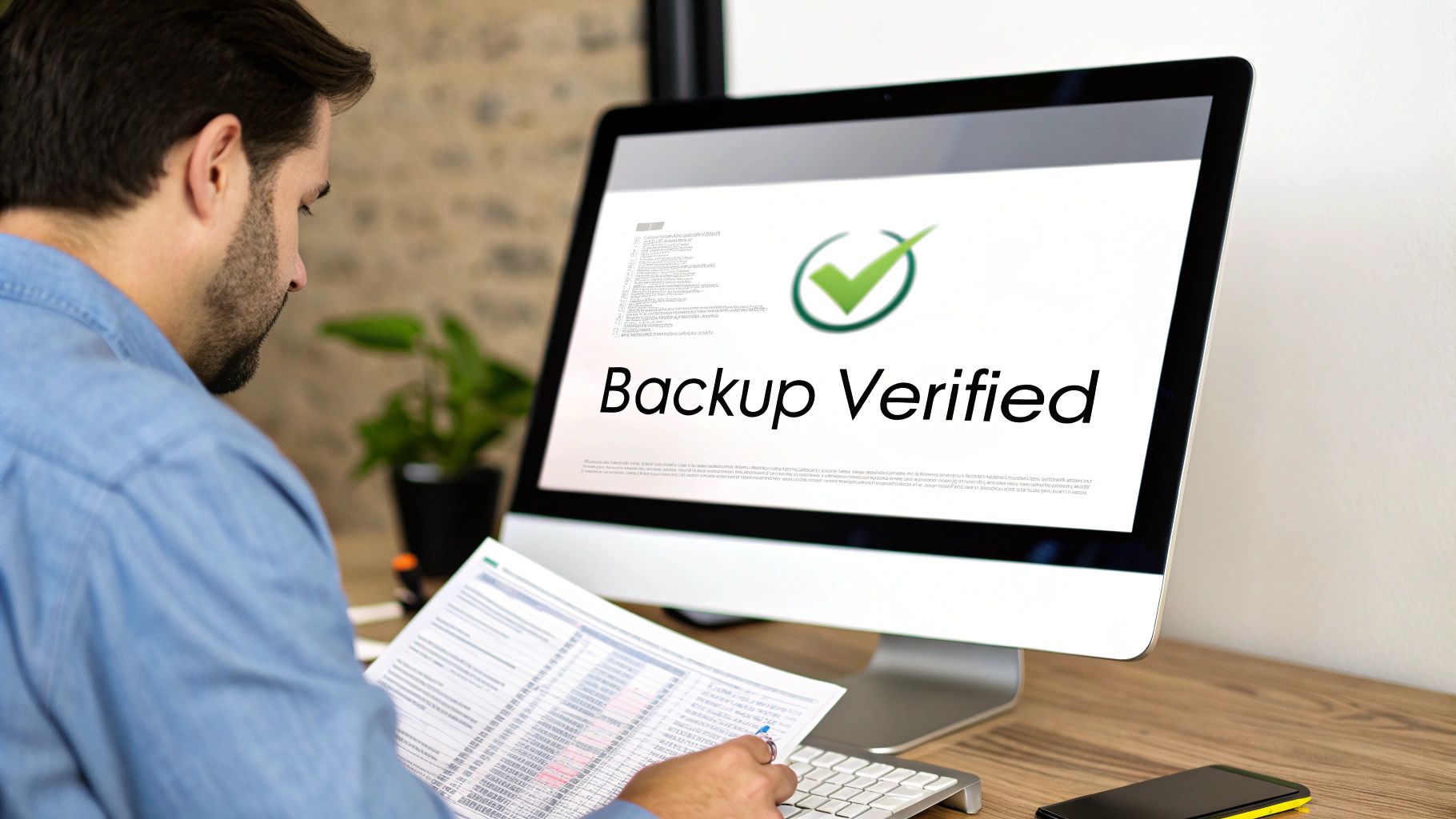
A server is not truly ready for decommissioning until you have absolute certainty that its data is securely preserved and fully recoverable. Backup verification and data integrity testing is the procedural safeguard that confirms all critical information has been successfully copied, and more importantly, can be restored from backup media. This step moves beyond simply confirming that a backup job completed; it involves actively testing the restore process to ensure the data is viable, uncorrupted, and accessible for future business continuity or compliance audits.
This rigorous validation is a cornerstone of responsible IT asset management. Without it, you are essentially gambling with your organization's most valuable asset: its data. For a financial institution, this means testing transaction data backups before the source server is wiped. For a healthcare provider, it involves validating that patient record archives can be fully restored, ensuring compliance with HIPAA's stringent data availability requirements.
Why This Step is Non-Negotiable
Skipping a formal backup verification process introduces unacceptable risk. A successful backup notification is not proof of a successful restore capability. File corruption, media failure, or configuration errors can render backups useless, a discovery you cannot afford to make after the original server has been physically destroyed. This step is your final opportunity to mitigate the risk of permanent data loss, ensuring that your disaster recovery and business continuity plans are not built on a faulty foundation.
Key Insight: The success of a server decommissioning project isn't measured when the server is turned off, but months or years later when you successfully restore its data for an audit or operational need. Verification is not just a best practice; it is a critical business function.
Actionable Implementation Plan
To ensure your data remains secure and accessible post-decommissioning, implement a thorough verification strategy:
- Perform Test Restores: Do not just rely on backup logs. Conduct partial or full test restores of critical databases, applications, and file systems to a sandboxed environment. This is the only way to confirm data integrity and recoverability.
- Document Verification Results: Maintain a detailed log for each server that records the date of the final backup, the date of the test restore, the outcome (success/failure), and the signature of the IT staff member who performed the validation. This documentation is crucial for compliance audits.
- Validate Offsite and Cloud Copies: If you use a hybrid backup strategy, verify that offsite tapes or cloud-based snapshots are also accessible and can be successfully restored. Confirm that access credentials and encryption keys are properly documented and stored securely.
7. Physical Security and Access Control Revocation
Once a server is logically isolated and its services are migrated, the focus must shift to securing the physical asset itself. This crucial step involves a systematic revocation of all access privileges, both digital and physical, to prevent unauthorized interaction with the hardware before its final removal. It answers the critical questions: Who can still access this machine, and how do we lock it down completely? Think of it as placing the server in a secure digital and physical quarantine.
This process is not just about deactivating a few user accounts; it is a comprehensive security measure that safeguards the hardware from tampering, accidental reactivation, or data theft during the vulnerable period between service shutdown and final asset disposition. Properly managing access control is a cornerstone of a secure server decommissioning checklist.
Why This Step is Non-Negotiable
Failing to revoke access credentials creates a significant security vulnerability. An active, albeit offline, server can still be a target. A disgruntled employee or external threat actor with lingering credentials could potentially access the machine, boot it with external media, and compromise any residual data. For industries governed by HIPAA, SOX, or GDPR, leaving a physical access path open to a server that once held regulated data constitutes a serious compliance breach, even if the data has been logically wiped.
Key Insight: A server is not truly "decommissioned" until all access pathways, both digital and physical, are severed and documented. Overlooking this step leaves a gaping hole in your security posture and audit trail, undermining the entire process.
Actionable Implementation Plan
To execute this step effectively, implement a multi-layered security protocol:
- Create a Credential Revocation Checklist: For each server, create a specific list of all associated accounts, including administrative, service, and user credentials. Systematically deactivate each one and document the date, time, and administrator who performed the action.
- Update Physical Access Controls: If the server is in a dedicated room or rack, update physical access controls. This includes deactivating keycard access for non-essential personnel and briefing the security team on the decommissioning schedule to monitor the area.
- Physically Secure the Hardware: Use tamper-evident seals on drive bays and chassis seams to provide a clear visual indicator if the hardware is disturbed. For high-security environments, place the server in a locked cage or secure storage room pending pickup from a certified ITAD partner like Beyond Surplus, who can maintain chain-of-custody from the moment of collection.
8. Environmental and Regulatory Compliance Verification
Once hardware is slated for removal, the decommissioning process enters a crucial legal and ethical phase: environmental and regulatory compliance verification. This step ensures that all activities, from data destruction to physical asset disposal, adhere strictly to a complex web of laws governing data privacy and e-waste. It moves beyond internal policy to satisfy external mandates, protecting the organization from fines, legal action, and reputational damage. Answering "Are we disposing of this server legally and responsibly?" is the central challenge here.
This verification is not a one-size-fits-all task; it is dictated by your industry and geographic location. For example, a financial institution must prove compliance with the FTC Disposal Rule and PCI-DSS for data destruction, while also adhering to state-specific e-waste laws like those in California or New York. Failing to meet any of these obligations creates significant liability, even if other steps in the server decommissioning checklist were followed perfectly.
Why This Step is Non-Negotiable
Proper compliance verification is the final safeguard against costly oversights. A healthcare provider could face millions in HIPAA fines for improper disposal of a server containing patient data, just as a multinational corporation could violate GDPR by mishandling the data of EU citizens. Furthermore, improper disposal of electronic hardware can lead to environmental penalties. This step provides the auditable proof that your organization acted with due diligence from start to finish.
Key Insight: Compliance isn't just about data; it's also about the physical hardware. Certified disposal and recycling are mandatory in many jurisdictions, and regulators require documented proof that you have met both data security and environmental standards.
Actionable Implementation Plan
To ensure your decommissioning project is fully compliant, integrate these actions into your workflow:
- Identify All Applicable Regulations: Create a matrix of relevant laws and standards based on your industry (HIPAA, PCI-DSS, GLBA) and locations (state e-waste laws, GDPR). This matrix should guide your choice of disposal methods and partners.
- Partner with Certified ITAD Vendors: Engage an IT Asset Disposition (ITAD) vendor like Beyond Surplus that holds certifications such as R2 or e-Stewards. These certifications verify that the vendor follows strict protocols for both secure data destruction and environmentally responsible recycling. Learn more about the environmental impact of electronic waste and why certified disposal matters.
- Demand a Complete Documentation Package: Require your ITAD partner to provide a full suite of compliance documents for every disposed asset. This package must include a detailed inventory list, a formal Chain of Custody record, and official Certificates of Data Destruction and Recycling.
- Establish a Record Retention Policy: Store all compliance documentation for a minimum of three to seven years, or longer if required by your industry regulations. These records are your primary defense in the event of a future audit or legal inquiry.
9. Equipment Logistics Coordination and Pickup Scheduling
After all data has been sanitized and assets are cataloged, the physical removal of equipment becomes the next critical phase in the server decommissioning checklist. This step involves the meticulous planning and execution of hardware transportation, from scheduling pickups and staging equipment to coordinating with logistics partners. It's the bridge between a secured, powered-down server rack and its final disposition, ensuring a smooth, timely, and secure transition out of your facility with minimal operational disruption.
This process is far more than simply calling a moving truck; it's a security function that upholds the chain of custody established in earlier steps. Properly managed logistics prevent asset loss, theft, or damage, ensuring that the hardware you've so carefully prepared arrives intact at the designated ITAD processing facility.
Why This Step is Non-Negotiable
Poorly coordinated logistics can undermine the entire decommissioning project. A delayed pickup can leave sensitive, high-value assets sitting unsecured on a loading dock, creating a significant security risk and occupying valuable data center space. Conversely, a rushed or disorganized removal can lead to damaged equipment, lost assets, and incomplete documentation, jeopardizing your ability to prove secure and compliant disposal. The integrity of your asset management and security protocols depends on a flawless physical handoff.
Key Insight: The coordination of equipment pickup is a critical control point in the decommissioning process. It ensures the secure chain of custody is maintained from your facility to the final processing vendor, preventing asset loss and protecting against potential data breaches during transit.
Actionable Implementation Plan
To ensure a seamless and secure removal process, follow these structured steps:
- Schedule Strategically: Coordinate the pickup time with your ITAD partner to align with a planned maintenance window or a period of low operational activity. This minimizes disruption to your daily business functions and ensures your staff is available to oversee the handoff.
- Stage Equipment Effectively: Designate a secure, easily accessible staging area for the decommissioned servers. Pre-positioning the equipment near a loading dock simplifies the pickup process for the logistics team, reduces handling time, and lowers the risk of accidents or damage within your facility.
- Maintain Clear Communication: Establish a single point of contact with your logistics partner. Before the scheduled date, confirm the pickup time, required documentation (like the Bill of Lading), and the scope of equipment being removed. Ensure your on-site team has all necessary details. For expert handling of nationwide logistics, see how Beyond Surplus manages decommission removal and pickup services to guarantee a secure and efficient process.
10. Asset Recovery, Final Documentation, Reconciliation, and Compliance Reporting
The final stage of the server decommissioning checklist transitions from physical tasks to financial and administrative closure. This critical step involves evaluating retired hardware for potential value recovery, completing all project documentation, and creating the final reports necessary for compliance audits. It’s where you prove the job was done correctly, responsibly, and in a financially prudent manner. This phase ensures that every asset is accounted for, from its initial inventory to its final disposition, creating an unbroken and auditable chain of custody.
This process is not merely about paperwork; it is the ultimate proof of a well-executed project. By reconciling initial asset lists with final disposition certificates, you provide concrete evidence that all data was destroyed securely and all hardware was handled according to regulatory and environmental standards. It's the step that protects the organization from future legal challenges, audit failures, and financial inquiries related to the decommissioned assets.
Why This Step is Non-Negotiable
Failing to complete this final reconciliation and reporting phase undermines the entire decommissioning effort. Without certified proof of data destruction or responsible recycling, your organization cannot defend itself during a compliance audit for regulations like HIPAA, SOX, or GDPR. Furthermore, overlooking asset recovery opportunities means leaving money on the table, as many components may still hold significant value in the secondary market. This final step closes the loop on security, compliance, and financial accountability.
Key Insight: Comprehensive final documentation is not just a record of what happened; it is your organization's primary legal and compliance defense. A project without a complete audit trail is a project that, from a risk management perspective, never officially finished.
Actionable Implementation Plan
To effectively close out your decommissioning project, follow a structured documentation and recovery process:
- Perform Asset Valuation: Work with a certified IT Asset Disposition (ITAD) partner to assess the fair market value of decommissioned servers, memory, CPUs, and other components. Separate high-value equipment for a potential buyback program to offset project costs.
- Centralize All Documentation: Create a single, secure digital folder for all project-related documents. This includes the initial inventory, change management approvals, chain of custody forms, certificates of data destruction, and asset recycling certificates provided by your vendor.
- Reconcile and Report: Perform a final reconciliation by cross-referencing the initial asset inventory list with the final disposition certificates. Ensure every single asset tag is accounted for. Prepare a final summary report for stakeholders, including legal, finance, and IT leadership, confirming the project's successful and compliant completion. For a deeper understanding of how this fits into the larger ITAD strategy, you can learn more about IT asset disposition processes and their importance for compliance.
10-Point Server Decommissioning Checklist Comparison
| Item | 🔄 Implementation complexity | ⚡ Resource requirements | 📊 Expected outcomes | 💡 Ideal use cases | ⭐ Key advantages |
|---|---|---|---|---|---|
| Data Inventory and Classification | High — comprehensive scans & analysis | Medium–High — automated discovery tools, data experts, time | Complete data map; sensitivity labels; audit trail | Regulated orgs, legacy system audits, pre-decommission planning | ⭐ Prevents accidental loss; enables informed migration/destruction; audit-ready |
| Secure Data Wiping or Hard Drive Destruction | Medium — defined procedures but strict controls | Medium — certified tools/vendors, possible on‑site equipment | Irrecoverable data; certificates of destruction; chain‑of‑custody | Disposal of sensitive storage, final hardware retirement | ⭐ Meets regulatory standards; verifiable proof; eliminates breach risk |
| Hardware Asset Tagging and Documentation | Low–Medium — straightforward but detail‑oriented | Low–Medium — tags/barcodes, scanners, inventory staff | Trackable assets with specs, condition photos, audit logs | Asset recovery, buyback programs, depreciation tracking | ⭐ Simplifies tracking; supports value recovery and audits |
| Application and Database Migration Planning | High — complex dependency mapping & testing | High — DBAs, app owners, test environments, rollback plans | Seamless application relocation; minimal downtime; validated data | Cloud migrations, legacy app replacements, critical systems | ⭐ Ensures business continuity; identifies hidden dependencies; reduces data loss |
| Network Configuration and Connectivity Removal | Medium — methodical verification required | Medium — network admins, mapping tools, coordination | Clean network state; removed DNS/DHCP entries; reduced orphaned routes | Infrastructure consolidation, cloud cutovers, data center moves | ⭐ Reduces security exposure; frees resources; prevents accidental routing |
| Backup Verification and Data Integrity Testing | Medium — restore testing and validation | Medium — backup infrastructure, test restores, time | Confirmed recoverability; identified backup gaps; DR assurance | Any decommission with critical data, disaster recovery readiness | ⭐ Prevents premature data loss; validates backup reliability |
| Physical Security and Access Control Revocation | Medium — careful sequencing and documentation | Low–Medium — security/admin coordination, access tools | Revoked credentials; secured hardware; tamper evidence | High‑security sites, classified systems, HIPAA environments | ⭐ Prevents unauthorized access; provides audit trail; reduces liability |
| Environmental and Regulatory Compliance Verification | High — multi‑jurisdictional rules and documentation | High — legal/compliance expertise, certified partners, records | Compliance attestation; recycling/data‑destruction certificates; audit readiness | Regulated industries, cross‑border disposals, e‑waste handling | ⭐ Minimizes fines/liability; demonstrates environmental responsibility |
| Equipment Logistics Coordination and Pickup Scheduling | Low–Medium — logistical planning and timing | Medium — transport, packaging, tracking systems | Timely removal; tracked transport; minimized disruption | Large scale decommissioning, multi‑site consolidations | ⭐ Offloads operational burden; provides tracking and flexible timing |
| Asset Recovery, Final Documentation, Reconciliation, and Compliance Reporting | High — valuation, reconciliation, extended recordkeeping | High — valuation experts, refurbishment teams, document retention | Recovered value, buyback offers, full reconciliation and compliance reports | Organizations seeking cost recovery and full audit trails | ⭐ Maximizes ROI; supports reuse/sustainability; creates audit-ready records |
Partner with Experts for a Seamless Decommissioning Process
Navigating the complexities of server retirement is far more than simply unplugging a machine. As this comprehensive server decommissioning checklist demonstrates, it is a meticulous, multi-stage process that touches every corner of your IT infrastructure, from data security and asset management to regulatory compliance and environmental responsibility. Each step, from the initial data inventory and classification to the final reconciliation and reporting, carries significant weight. A single oversight can lead to catastrophic data breaches, non-compliance penalties, or financial losses from improperly valued assets.
The true takeaway from this guide is that decommissioning is not a janitorial task; it is a strategic initiative that demands precision and foresight. Mastering this process means transforming a potential liability into a secure, compliant, and even profitable endeavor. By diligently planning application migrations, verifying backups, and implementing secure data sanitization protocols, you safeguard your organization's most valuable asset: its information. Furthermore, meticulous hardware tagging, logistics coordination, and partnership with a certified IT Asset Disposition (ITAD) vendor ensure that physical assets are handled responsibly, their residual value is maximized, and a complete chain-of-custody is maintained from start to finish.
The True Cost of a Mishandled Decommissioning
Failing to follow a structured checklist can have severe consequences that extend far beyond the data center floor. Consider the following real-world risks:
- Data Breach Catastrophes: A server retired without certified data destruction is a ticking time bomb. If it falls into the wrong hands, sensitive customer data, proprietary intellectual property, or confidential financial records could be exposed, leading to devastating reputational damage and legal action.
- Regulatory Fines: Compliance is not optional. Regulations like the FTC Disposal Rule, HIPAA, and Sarbanes-Oxley mandate specific procedures for data handling and disposal. Non-compliance can result in hefty fines, audits, and sanctions that cripple an organization.
- Financial Inefficiency: Without a proper asset valuation and recovery plan, you are essentially throwing away money. Retired servers often contain valuable components that can be resold or repurposed. A haphazard process forfeits this potential revenue and incurs unnecessary disposal costs.
- Operational Disruption: An unplanned server shutdown can disrupt critical business services, impacting customers and internal teams. The pre-decommissioning phases outlined in this checklist are designed specifically to prevent these avoidable interruptions by ensuring seamless service migration and network reconfiguration.
From Checklist to Confident Execution
This server decommissioning checklist serves as your roadmap, but the journey requires a skilled driver. The value of this process lies not just in ticking boxes but in understanding the "why" behind each action. It’s about building a culture of security and responsibility within your IT operations. Adopting this framework ensures that every decommissioned asset is a closed loop, with its data securely eradicated, its value properly assessed, and its final disposition documented for compliance.
Ultimately, a successful server decommissioning project reinforces trust with your stakeholders, clients, and regulatory bodies. It demonstrates a commitment to data privacy and operational excellence, protecting your brand and your bottom line. By internalizing these steps, you empower your team to handle IT lifecycle transitions with confidence and precision, turning a complex operational requirement into a streamlined, secure, and value-driven process.
Contact Beyond Surplus for certified electronics recycling and secure IT asset disposal. Partner with Beyond Surplus to leverage our certified expertise in IT Asset Disposition. We manage every step of the server decommissioning checklist, from on-site data destruction to asset valuation and certified reporting, ensuring your project is handled flawlessly. Visit our website at Beyond Surplus to learn more and schedule a consultation today.