Knowing how to wipe a computer hard drive is about more than just dragging files to the trash. For a business, it’s about permanently sanitizing media to ensure sensitive corporate, client, or proprietary information is irretrievably destroyed. This step is critical when retiring, reselling, or recycling IT assets to prevent data breaches and maintain regulatory compliance.
Why Secure Data Destruction is a Business Imperative
Failing to properly sanitize a hard drive isn't a minor oversight—it's a significant business liability with severe consequences. For any organization, the data on retired computers, servers, and network devices is a potential target for theft. If you don't implement a certified data destruction process before these assets leave your control, you risk a devastating data breach.
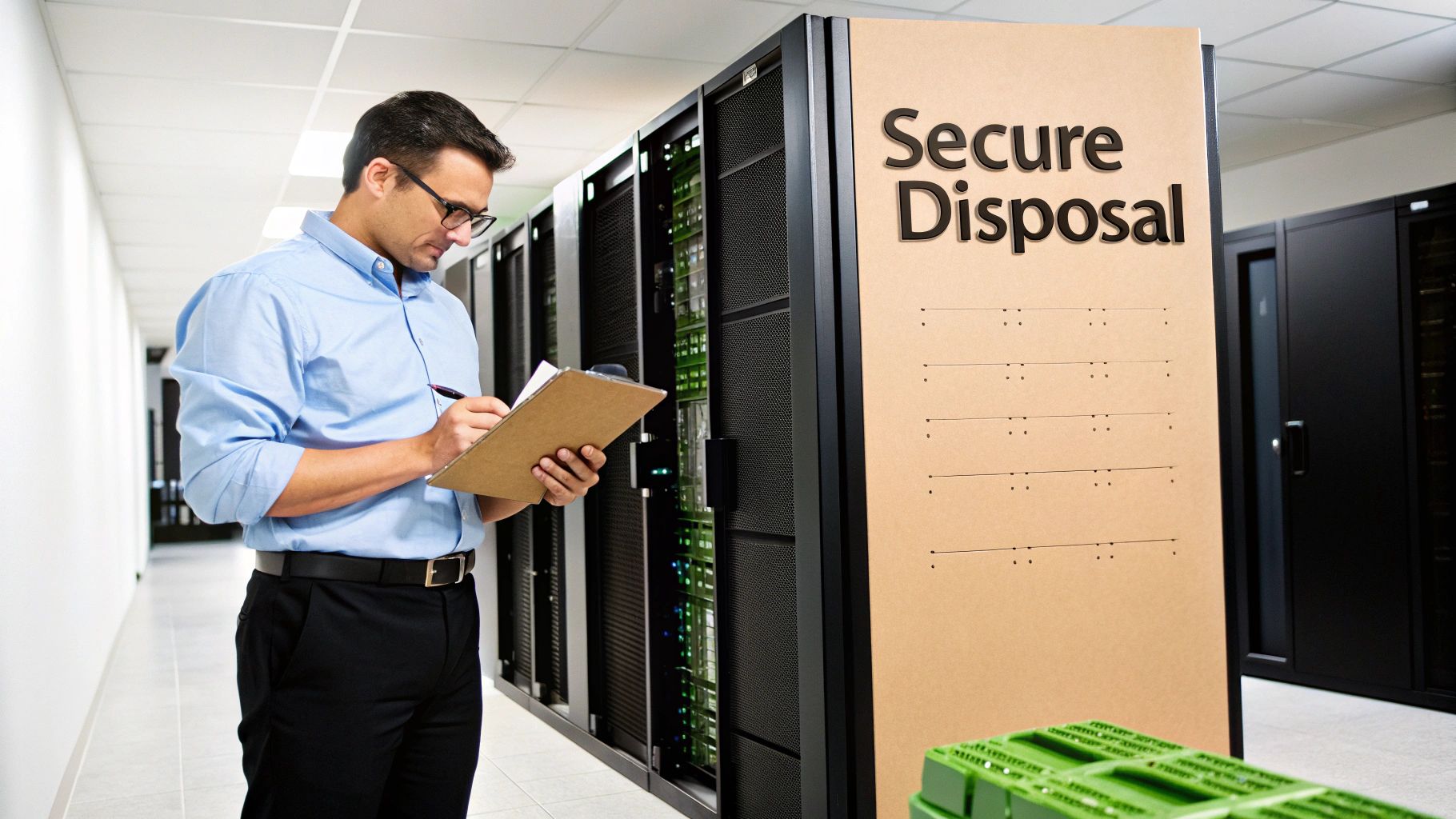
The financial and reputational fallout from a data breach can be catastrophic. Regulatory bodies do not take data mismanagement lightly, and the penalties reflect this.
- Financial Penalties: Regulations like the FTC Disposal Rule and HIPAA impose strict requirements for protecting consumer and patient information. Non-compliance can lead to fines stretching into the millions of dollars.
- Reputational Damage: A public data breach shatters customer and partner trust. Rebuilding that trust is often more difficult and costly than any regulatory fine.
- Legal Liability: Beyond regulatory fines, businesses may face civil lawsuits from affected parties, compounding legal costs and potential settlements.
The Critical Difference Between Deleting and Sanitizing
A common and dangerous misconception is that deleting files or formatting a drive is sufficient to destroy data. This is incorrect. When you "delete" a file, the operating system typically only removes the pointer to it, marking the space as available for new data. The actual data often remains, a phenomenon known as data remanence.
Data remanence is the residual data that persists even after erasure attempts. This is precisely what makes standard deletion methods dangerously inadequate for business assets containing sensitive information.
Because of data remanence, specialized recovery software can often restore "deleted" files with surprising ease. For a business, this is an unacceptable risk. True data sanitization, in contrast, is the process of deliberately, permanently, and irreversibly destroying the data stored on a memory device, rendering it completely unrecoverable.
A Common Business Scenario
Consider a typical IT asset refresh. Your company is upgrading its data center and is left with dozens of old servers, their hard drives filled with years of financial records, customer data, and intellectual property. The IT team must decide: attempt a DIY wipe using software or engage a professional IT Asset Disposition (ITAD) partner?
While DIY methods may seem cost-effective, they often lack the certified verification and documentation required to prove compliance. This is where professional services are essential. A certified ITAD provider offers a documented, auditable process that transfers liability from your organization. You can learn more about the certified processes involved with Beyond Surplus's approach to secure data destruction services. This certified, documented approach is the only way to ensure your company is fully protected when its technology assets reach their end-of-life.
Your Pre-Wipe Data Security Checklist
Initiating a hard drive wipe without a structured plan is a major operational risk. For any business, a pre-wipe checklist is an essential security and logistical safeguard. Overlooking these steps can lead to permanent loss of critical data, compliance violations, and operational disruptions.
Before any data is overwritten, your first priority must be a complete and verified data backup. This is about more than just file copies—it's about ensuring business continuity. Imagine an essential file for an upcoming audit was located on a server drive scheduled for disposal. The consequences of its loss could be severe.
Implement a Robust Backup Strategy
The industry standard for data protection is the 3-2-1 backup rule. This simple yet powerful framework significantly reduces the risk of data loss.
- Three Copies: Maintain at least three copies of your data—the original data on your primary device, plus two backups.
- Two Different Media: Store backups on at least two different types of storage, such as an internal hard drive and cloud storage. This protects against the failure of a specific storage medium.
- One Offsite Copy: Keep at least one backup copy in a separate, offsite location, such as a secure cloud service or a physical drive stored at another facility. This safeguards against localized disasters like fire, flood, or theft.
After creating backups, verification is non-negotiable. A backup is useless if it's corrupted or incomplete. You must perform test restores of critical files or entire system images to confirm their integrity before proceeding with data destruction.
Create a Detailed Asset Inventory
Once backups are secure, the next step is to create a serialized inventory of every drive slated for disposal. This process is the foundation of a defensible chain of custody and is critical for audit trails.
Your inventory log must meticulously track key details for each asset:
- Unique Serial Number: The manufacturer's serial number serves as the primary identifier.
- Asset Tag: Your company's internal asset tag number.
- Make and Model: For instance, "Seagate Exos X18 16TB".
- Intended Action: Note whether the drive will be wiped, shredded, or degaussed.
This detailed log is your first line of defense in proving due diligence. When you partner with an ITAD provider like Beyond Surplus, this inventory becomes part of the official documentation culminating in a Certificate of Destruction.
Review Data Retention Policies
Before wiping anything, consult your organization's data retention policy. This internal document, guided by legal and regulatory requirements, dictates how long specific types of data must be kept. You can find insights on minimizing risks in our guide on preparing computers for donation. Erasing data before its mandated retention period expires can lead to serious compliance violations.
A common mistake is treating all data uniformly. Financial records, employee data, and healthcare information often have distinct, legally mandated retention timelines. Always confirm what can be legally destroyed before taking action.
Finally, ensure all drives are handled and stored securely. Disconnect them from power, place them in anti-static bags, and store them in a secure location until they are ready for the wiping or destruction process. This prevents accidental damage or unauthorized access.
Taking a Look at Software-Based Wiping Methods
Using software to wipe a computer hard drive is often the first method businesses consider, particularly for drives intended for internal reuse. It appears straightforward and cost-effective.
However, for final, secure IT asset disposal, software-based tools have significant limitations. Understanding the technical nuances is crucial to avoid a false sense of security.
Before initiating a wipe, there are critical preparatory steps. This flowchart outlines the essential considerations, from data backup and inventory management to policy review.
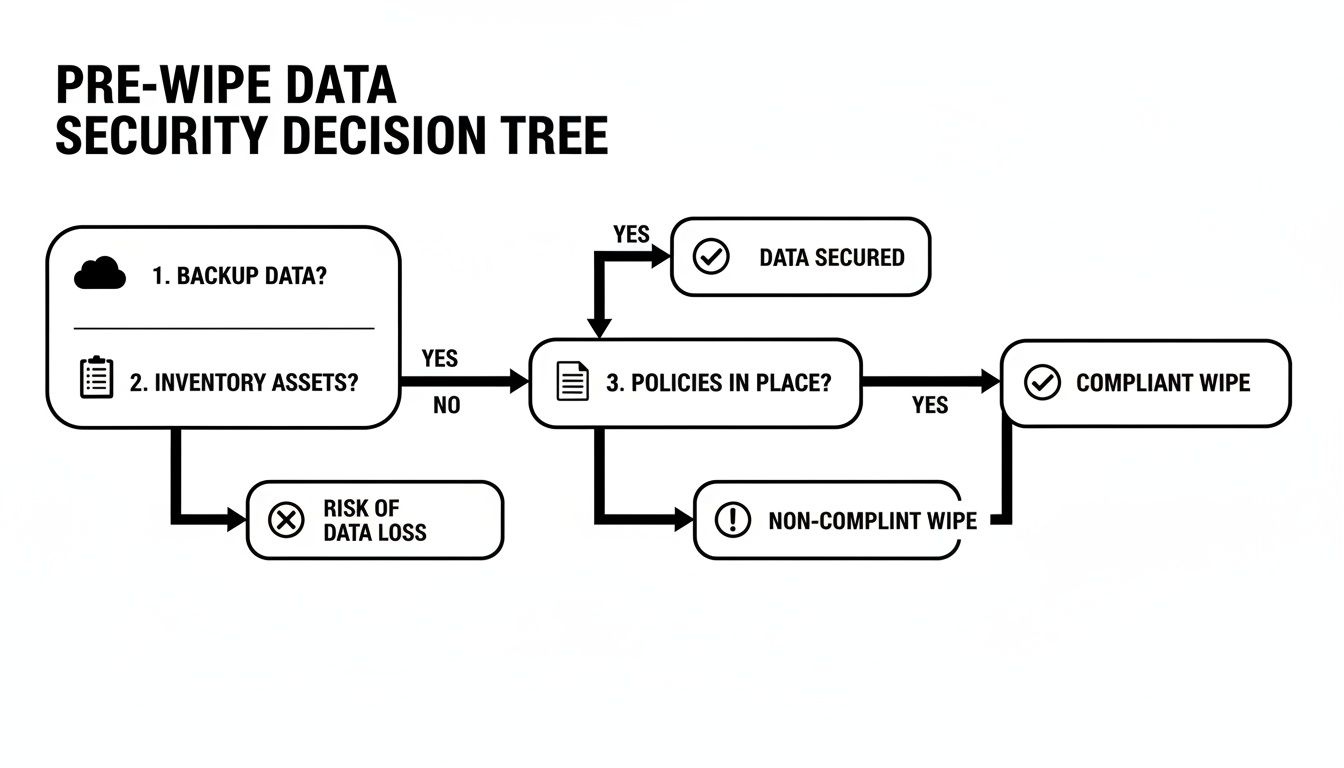
As illustrated, the wipe itself is the final step in a broader security plan—it is not the starting point.
Common Wiping Tools and Their Limitations
Many operating systems include built-in utilities that claim to erase data securely. macOS offers Disk Utility with an overwrite option, while Windows provides a command-line tool (format /p) for multi-pass overwrites. For a more robust approach, bootable tools like DBAN (Darik's Boot and Nuke) have been used for years to wipe entire hard drives.
The fundamental challenge, however, lies in the architectural differences between traditional Hard Disk Drives (HDDs) and modern Solid-State Drives (SSDs).
- HDDs (Hard Disk Drives): These drives use spinning magnetic platters. Software wiping is effective here, as it overwrites every sector with random data, making the original information extremely difficult to recover.
- SSDs (Solid-State Drives): SSDs use flash memory managed by sophisticated controllers. Features like wear-leveling and over-provisioning mean a software "overwrite" command may not reach all memory cells. The drive's controller, not the software, determines where new data is written, often leaving old data blocks untouched.
Software-based wiping on an SSD is fundamentally unreliable. Due to the way SSDs self-manage data to extend their lifespan, you can never be 100% certain that every memory cell has been overwritten. Data remnants can, and often do, remain.
A Quick Comparison of Software Wiping Tools
To clarify the options, here is a brief comparison of common software-based wiping tools.
| Tool/Method | Best For | HDD Effectiveness | SSD Effectiveness | Compliance-Ready? |
|---|---|---|---|---|
| OS Built-in Utilities | Quick wipes for personal, non-sensitive reuse. | Fair | Poor/Unreliable | No |
| DBAN | Wiping entire HDDs for donation or non-corporate reuse. | Good | Very Poor | No |
| KillDisk | Individual file/folder wiping, some bootable options. | Good | Poor/Unreliable | No |
| Blancco/WipeDrive | Corporate environments needing basic reports for reuse. | Excellent | Limited/Risky | Yes (with caveats) |
While professional tools like Blancco offer more features, the underlying problem with SSDs persists. For final disposal where compliance is mandatory, the risk is too high.
Understanding Data Sanitization Standards
Software tools often claim to meet standards like DoD 5220.22-M or NIST 800-88. These standards define procedures for overwriting data with specific patterns and passes. The older DoD standard, for example, required a 3-pass overwrite, which was effective for magnetic drives.
However, the NIST 800-88 Guidelines for Media Sanitization is the current gold standard. These guidelines distinguish between clearing, purging, and destroying data.
For SSDs, NIST recommends using the ATA Secure Erase command, which instructs the drive to execute its own internal sanitization routine. However, not all drives implement this command correctly, and verification is complex. For Apple devices, a complete guide to an iPhone factory reset may be useful as it covers built-in software wipe features.
Why Software Wiping Fails the Business Compliance Test
While the data wipe software market is substantial—hitting $5.8 billion in 2023 and projected to reach $12.3 billion by 2033—its shortcomings for corporate end-of-life disposal are significant.
Despite market growth, even the best software cannot overcome the architectural realities of modern SSDs. Research based on NIST 800-88 guidelines shows that even multi-pass overwriting can leave 20-30% of data recoverable on an SSD due to wear-leveling and other flash memory management techniques.
For any business bound by compliance regulations like HIPAA, SOX, or GDPR, this is unacceptable. The lack of guaranteed, verifiable data erasure from software creates an untenable risk. It is impossible to generate a defensible audit trail to prove every block of data was sanitized.
Therefore, for final disposal, software-based wiping is never a substitute for certified physical destruction.
Physical Destruction: The Ultimate Data Security Solution
When data security is an absolute, non-negotiable requirement, software-based methods introduce unacceptable risks. For any business handling sensitive information—from financial data to protected health information—the only way to completely eliminate liability and guarantee data is 100% unrecoverable is through physical destruction. It is the gold standard for data security and the only method that ensures total compliance.
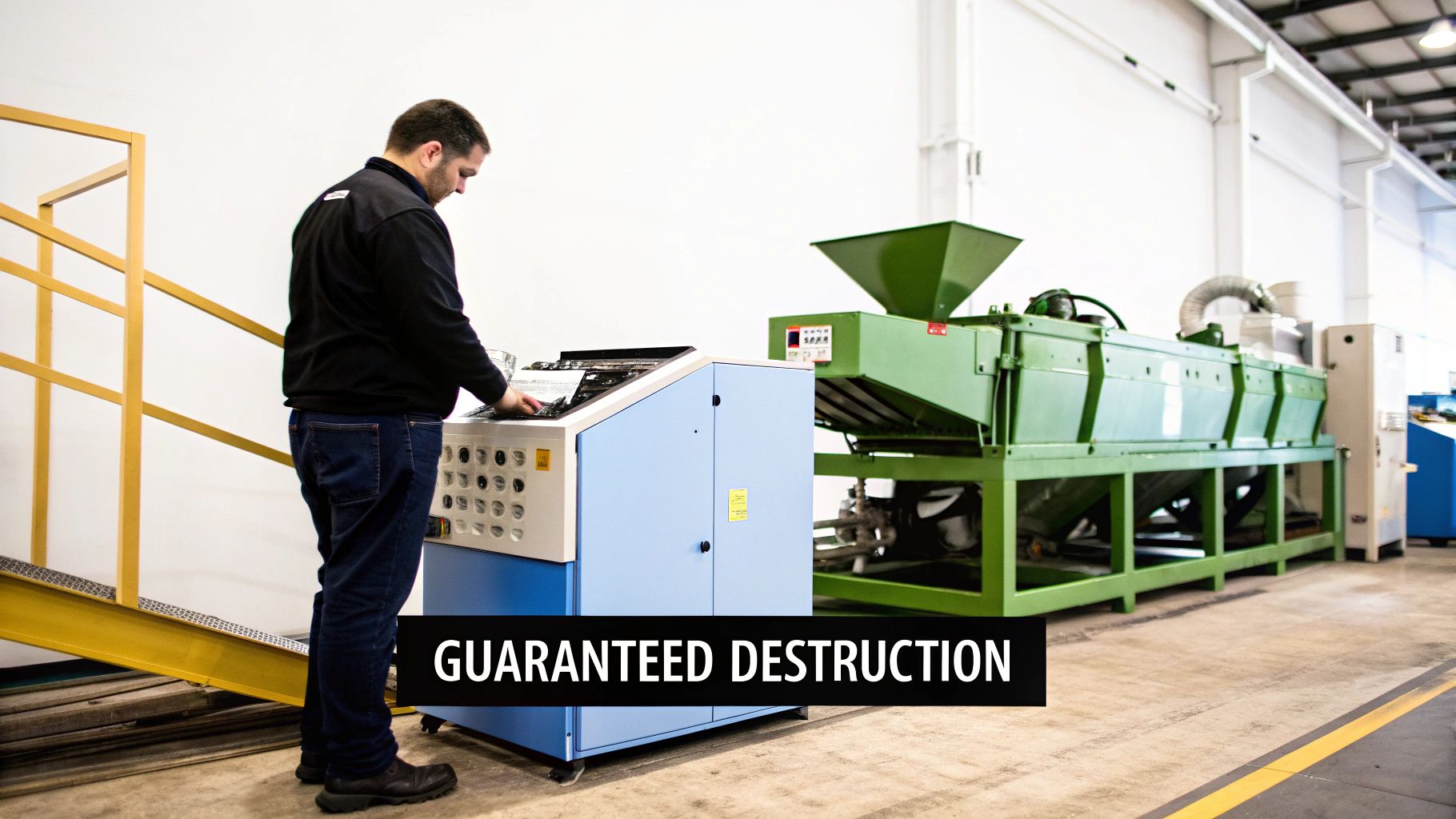
Unlike software wiping, which overwrites existing data, physical destruction renders the storage media itself completely unusable. This process ensures that the platters of a hard disk drive (HDD) or the flash memory chips of a solid-state drive (SSD) are obliterated, leaving zero possibility for recovery by even the most advanced forensic tools.
The Primary Methods of Physical Destruction
Professional ITAD providers utilize specialized, industrial-grade equipment to perform physical destruction, providing a definitive end to the data lifecycle and meeting the highest security standards set by agencies like the National Security Agency (NSA).
Three primary techniques are used in the industry:
- Shredding: This is the most common and recognizable method. Hard drives are fed into powerful shredders that cut, tear, and grind them into small, irregular metal fragments. The final particle size can be adjusted to meet specific compliance standards, with smaller particles offering higher security.
- Degaussing: Designed for magnetic media like HDDs and tapes, degaussing uses an extremely powerful magnetic field to neutralize the drive's platters. This process instantly and permanently scrambles all data, rendering the drive inoperable.
- Pulverization: For maximum security, pulverization is the preferred method. Drives are placed into a machine that beats and crushes them into dust and tiny fragments, ensuring no component remains intact.
The core principle is simple: data cannot be recovered from a device that no longer exists in a functional form. This is why physical destruction is the only method that provides an absolute guarantee against data breaches from retired IT assets.
This reliance on guaranteed destruction is a growing trend. The global Hard Disk Destruction Equipment market is projected to reach $1,927 million by 2027. The commercial use segment alone is valued at over $450 million, highlighting business investment in mitigating DIY risks. You can review this hard disk destruction equipment market analysis to see where the industry is heading.
Why Destruction Is a Regulatory Mandate for Some Industries
For many industries, physical destruction is not just a best practice—it is a legal requirement. A healthcare provider governed by HIPAA or a financial firm bound by GLBA handles Personally Identifiable Information (PII) and Protected Health Information (PHI). If compromised, this data could lead to devastating consequences for individuals and severe fines for the company.
In these contexts, the risk of a single data fragment surviving a software wipe is unacceptable. A software tool could fail, an SSD's wear-leveling algorithm might leave data in an overprovisioned area, or an employee could make a procedural error. Physical destruction eliminates all such uncertainties.
By working with a certified ITAD vendor for services like Beyond Surplus's secure hard drive shredding, a business transfers this critical liability. The entire process is documented, from serialized inventory tracking to the final Certificate of Destruction. This certificate serves as legally defensible proof that your organization met its compliance obligations and took every necessary step to protect sensitive data.
Why a Certificate of Destruction Is Your Proof of Compliance
Sanitizing a hard drive is one part of the process; proving it was done correctly is another. For any business, the most crucial step is not the wipe itself but the documentation. This paper trail is what protects you from potential liability by demonstrating due diligence during an audit or legal inquiry.
While you could attempt to verify a software wipe with forensic tools, it is a complex, time-consuming process that lacks the official, third-party validation that regulators require. This is why a Certificate of Data Destruction (CoD) from a certified IT Asset Disposition (ITAD) partner like Beyond Surplus is the undisputed gold standard.
Deconstructing the Certificate of Destruction
A CoD is not a simple receipt; it is a legally defensible document that serves as your official audit trail. It formally transfers liability for the data on your retired assets from your company to the ITAD vendor. A legitimate certificate contains specific details, providing irrefutable proof of proper data sanitization.
A comprehensive CoD should always include:
- Unique Serial Numbers: An itemized list of every hard drive or device destroyed, tracked by its manufacturer's serial number.
- Method of Destruction: A clear description of the exact method used—shredding, degaussing, or pulverization—and confirmation that it meets standards like NIST 800-88.
- Date and Location of Destruction: The precise date and physical location where the destruction occurred, establishing a clear timeline.
- Statement of Liability Transfer: A formal declaration that your ITAD partner assumes all responsibility for the data on the assets upon collection.
- Confirmation of Compliance: An official statement confirming the destruction process adhered to all relevant local, state, and federal regulations, such as HIPAA, FACTA, or the FTC Disposal Rule.
A Certificate of Destruction is your company's data security insurance policy. It is tangible proof that you have followed best practices and can defend your actions with a documented, auditable, and legally sound record.
The Business Case for Certified Documentation
The demand for professional data destruction is surging. As data privacy laws become more complex, businesses require reliable, compliant solutions. The global data destruction services market was valued at $10.17 billion in 2024 and is projected to reach $26.08 billion by 2032. This explosive growth is driven by regulations like GDPR and CCPA, which make professional, certified destruction a non-negotiable business function. You can explore the booming data destruction services market and its drivers.
This trend underscores a critical reality: for businesses, DIY attempts at wiping drives are no longer sufficient. With physical shredding being the dominant method for guaranteeing data elimination, the value of a professional service that provides a certificate is clear. Learn more about this critical document in our guide on the hard drive destruction certificate. This is not just paperwork; it is definitive proof to regulators, stakeholders, and clients that your organization takes data protection seriously and has fulfilled its legal and ethical duties.
Common Questions About Wiping Hard Drives
Even with a solid plan, questions often arise when it is time to wipe a computer hard drive. Misconceptions can lead to expensive security gaps, so clarity is essential for ensuring your data disposal process is both secure and compliant.
Here are answers to the questions we hear most frequently from IT managers and business owners.
Is Resetting My Computer to Factory Settings Enough?
No. For business data, a factory reset is not a secure data destruction method. This function only reverts the operating system to its original state. While it may delete user profiles and applications, it does not overwrite the underlying data on the drive.
For a personal device, it might be a preliminary step, but for a business, the data often remains easily recoverable with basic software tools. It fails to meet any professional data sanitization standard and leaves your company exposed to significant risk.
What Is the Difference Between Wiping and Shredding?
The core difference is that one is a software process, and the other is physical. The final state of the drive is completely different.
- Wiping (Sanitization): This is a software-based process that overwrites all existing data with random characters, making the original information unreadable. The drive remains physically intact and can be reused.
- Shredding (Destruction): This process physically destroys the drive by grinding it into small metal fragments. The drive is rendered completely inoperable, and the data is permanently eliminated.
If you plan to repurpose drives within your organization, a verified software wipe is appropriate. However, for end-of-life drives that contained sensitive data, physical destruction is the only foolproof guarantee.
Can Data Be Recovered After a Professional Wipe?
If a hard drive is properly wiped according to NIST 800-88 guidelines, data recovery is virtually impossible with current technology. Professional-grade wiping software performs multiple overwrite passes and verifies that every sector has been sanitized.
The key, however, is that the process must be executed correctly and, just as importantly, verified. This is why partnering with a certified ITAD provider is critical—they have the expertise to perform the wipe correctly and provide the documentation to prove its success.
Do I Need to Wipe SSDs Differently Than HDDs?
Yes, absolutely. This is a crucial distinction. The architecture of Solid-State Drives (SSDs) makes traditional overwriting software unreliable. Due to internal features like wear-leveling and over-provisioning, software may not be able to access and overwrite all memory cells where data fragments are stored.
Using software designed for an HDD to wipe an SSD is a common and dangerous mistake. You could run multiple overwrite passes and still leave sensitive data behind, completely untouched.
For SSDs, the recommended software method is an ATA Secure Erase command, which instructs the drive to use its internal sanitization routine. However, implementation can be inconsistent across models. For guaranteed data destruction on SSDs, physical shredding remains the most reliable and secure option.
Why Do I Still Need a Certificate of Destruction After Wiping a Drive?
A Certificate of Destruction (CoD) serves as your legal proof of due diligence. Even if your internal team performs a perfect software wipe, you lack the third-party, auditable documentation to prove it. In the event of an audit or legal inquiry, your word alone is not sufficient.
The CoD is a formal record that transfers liability. It documents the entire chain of custody—the who, what, when, where, and how of the data destruction process, down to the individual serial numbers. Without it, you are asking auditors to trust your internal processes, a position no business should be in. It is the final document that closes the loop on your data security responsibilities.
When your business requires undeniable proof of data security for electronics recycling and IT asset disposal, partner with the experts. Beyond Surplus offers certified data destruction services that provide the documentation and peace of mind necessary to protect your organization. Contact us today to schedule a secure pickup and ensure your retired IT assets are handled responsibly and in full compliance. Learn more at Beyond Surplus.