You’re probably staring at a floor plan, a move date, and a growing list of problems that don’t fit neatly into “hire movers.” Desks, cubicles, conference tables, and filing systems are only part of the job. The harder part is keeping people productive, protecting the building, controlling cost, and making sure the technology side of the move doesn’t create a security mess.
That’s why experienced teams treat office furniture relocation services as an operational project, not a trucking task. The market reflects that complexity. The global office relocation services market was valued at US$ 10.6 billion in 2022 and is projected to reach US$ 14.6 billion by 2032, according to Fact.MR’s office relocation services market analysis. More companies are moving with tighter timelines, more modular furniture, and much more technology embedded into the workplace.
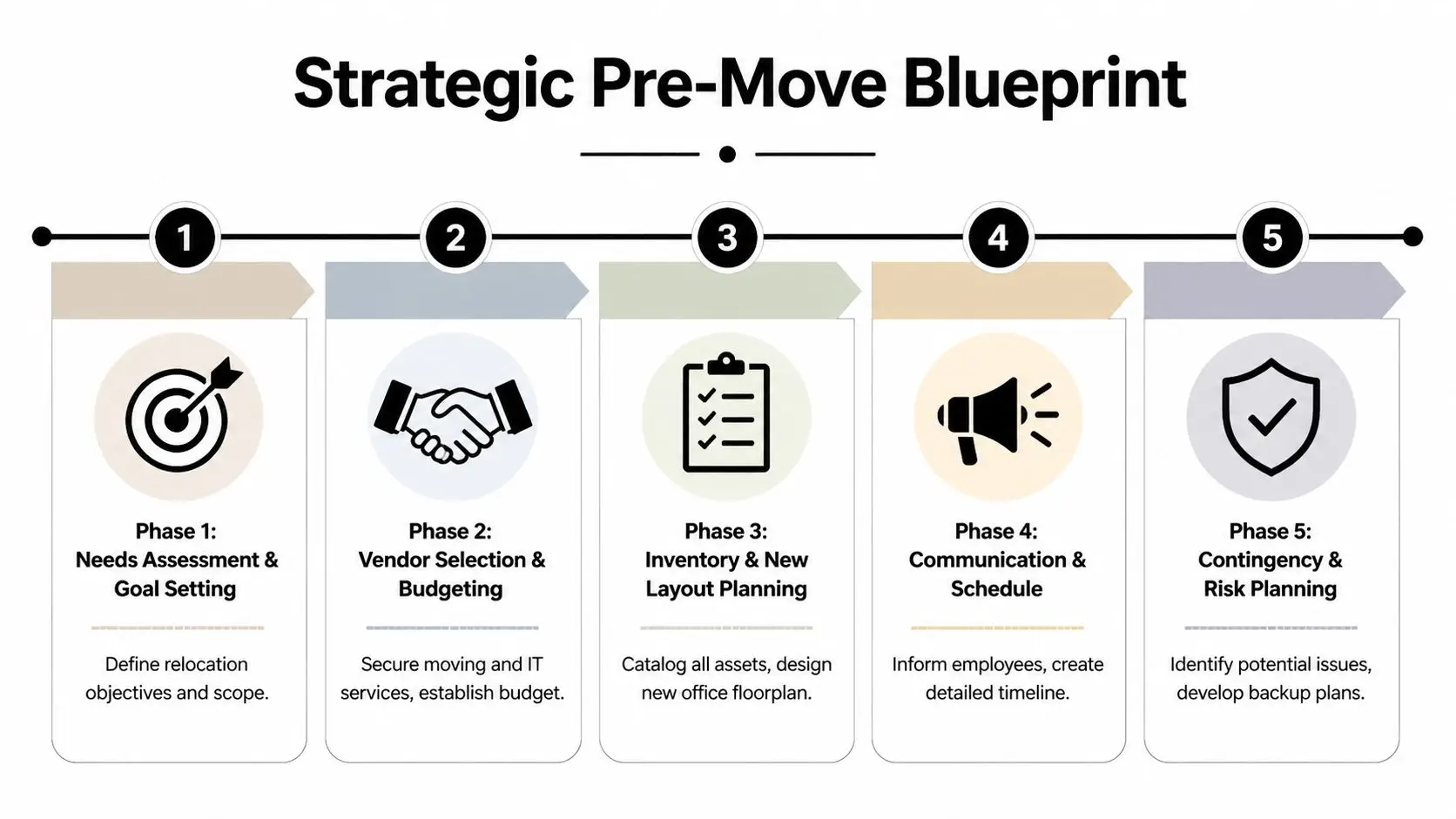
Your Strategic Pre-Move Blueprint
The moves that go sideways usually fail long before move day. Someone approves a headcount-based furniture list instead of a real asset review. A vendor gets booked before the team decides what’s worth moving. Then the organization pays to transport obsolete workstations, duplicate storage cabinets, and broken seating that should’ve been sold, recycled, or cleared out.
Start with a full asset audit. Not just quantity. Condition, dimensions, destination, owner, and whether each item should move at all. Every desk, chair, pedestal, whiteboard, monitor arm, server cabinet, and reception piece needs a disposition decision attached to it.
Build one inventory that drives every other decision
A useful move inventory isn’t an Excel graveyard. It becomes the control document for budget, vendor scope, labeling, liquidation, and new-space planning.
Include these fields:
- Asset identity with tag number, department, and current location.
- Physical details such as dimensions, finish, and whether disassembly is required.
- Future status marked as move, store, sell, donate, recycle, or destroy.
- Dependencies for items tied to power, data, AV, or wall mounting.
- Placement notes showing exact destination in the new office.
This is also the point where space planning stops being theoretical. If the new office supports benching instead of large private desks, don’t move furniture that fights the new layout. If your team is redesigning collaboration areas, it helps to transform your workspace with smart layouts before finalizing what stays in scope.
Practical rule: If no one can answer where an item goes, it should not be loaded onto the truck.
Budget for the items people usually miss
Base moving costs are only one line item. Budget pressure usually shows up in the gaps between departments. IT assumes facilities owns disconnects. Facilities assumes movers will handle monitor arms and cable trays. Legal expects chain-of-custody for retired devices. Nobody priced any of it.
A realistic move budget should account for:
- Furniture disassembly and reassembly
- After-hours or weekend labor
- Building protection requirements
- Loading dock and elevator scheduling constraints
- IT teardown, transport support, and reconnect work
- Surplus removal and end-of-life disposition
- Contingency for damaged, missing, or no-fit items
If the old site needs to be cleared fast, bundling a commercial office cleanout plan into pre-move planning prevents a very common mistake. Teams wait until after occupancy to deal with leftovers, then pay premium rates under landlord deadlines.
Work backward from occupancy, not forward from today
The cleanest timelines start at the moment the new office must be fully usable. Then work backward through dependencies. Furniture installation depends on floor readiness. IT setup depends on access and sequencing. Staff communications depend on confirmed seating and department maps.
Use a phased timeline with named owners, not vague milestones. Good examples are “approve final furniture disposition,” “freeze floor plan,” “issue department labels,” and “complete old-site abandonment checklist.” Keep one command document that both facilities and IT can use.
A move becomes manageable when every object has a status, every cost has an owner, and every dependency has a date.
Assembling Your Relocation Team
A low quote can wreck a move. Commercial relocations fail when leaders buy labor by the hour instead of capability. The right vendor can handle modular furniture, protect elevators and lobbies, stage by department, and work inside building rules without constant supervision. The wrong one burns hours asking basic questions and improvising around expensive assets.
The first filter is compliance. For interstate work, verify licensing. For any job, demand current insurance documentation and building-compliant certificates before contract signature. Ask who performs the labor, whether crews are direct employees or subcontracted, and who supervises on site.
What to check before you hire
Use vendor interviews to expose blind spots early.
- Furniture experience matters when your office has panel systems, height-adjustable desks, reception millwork, or demountable walls.
- Building discipline matters when access windows are tight and property managers require floor protection, masonite, and elevator reservations.
- Scope clarity matters because “move office furniture” often excludes disconnecting power-integrated tables, wall-mounted screens, or file purge support.
- Documentation matters if your organization needs chain-of-custody, damage reporting, and signoff by floor or department.
If your procurement process needs structure, a vendor due diligence checklist for relocation and service providers helps standardize what legal, facilities, security, and IT should all review before award.
Ask each mover the same questions. The comparison gets clearer when every bidder responds to the same scope, schedule, and building constraints.
Division of duties between movers and internal staff
The biggest source of move-day conflict is scope creep. Put responsibilities in writing before anyone starts labeling desks.
| Task | Primary Responsibility: Professional Movers | Primary Responsibility: Internal Staff |
|---|---|---|
| Disassemble cubicles, desks, and conference tables | Yes | No |
| Protect floors, walls, elevators, and loading areas | Yes | No |
| Pack common-area furniture and non-sensitive fixtures | Yes | Sometimes |
| Label employee-owned work areas based on final plan | Support | Yes |
| Approve what moves and what is removed from scope | No | Yes |
| Coordinate department seating assignments | No | Yes |
| Secure confidential files and sensitive records | No | Yes |
| Validate network, AV, and application readiness | No | Yes |
| Manage landlord notices and building approvals | Support | Yes |
| Report exceptions, shortages, and damage at handoff | Yes | Yes |
Choose the lead voices early
Every move needs one facilities lead, one IT lead, and one decision-maker who can resolve scope disputes quickly. Without that, small issues stack up. A team waits for approval to leave behind damaged furniture. Another crew pauses because a conference room table no longer fits the revised plan. Time disappears.
The strongest teams also assign department coordinators. They don’t run the move. They confirm seating charts, pack local materials, and answer quick questions about ownership and placement. That small layer of accountability saves hours of guesswork.
Mastering Move-Day Execution and Logistics
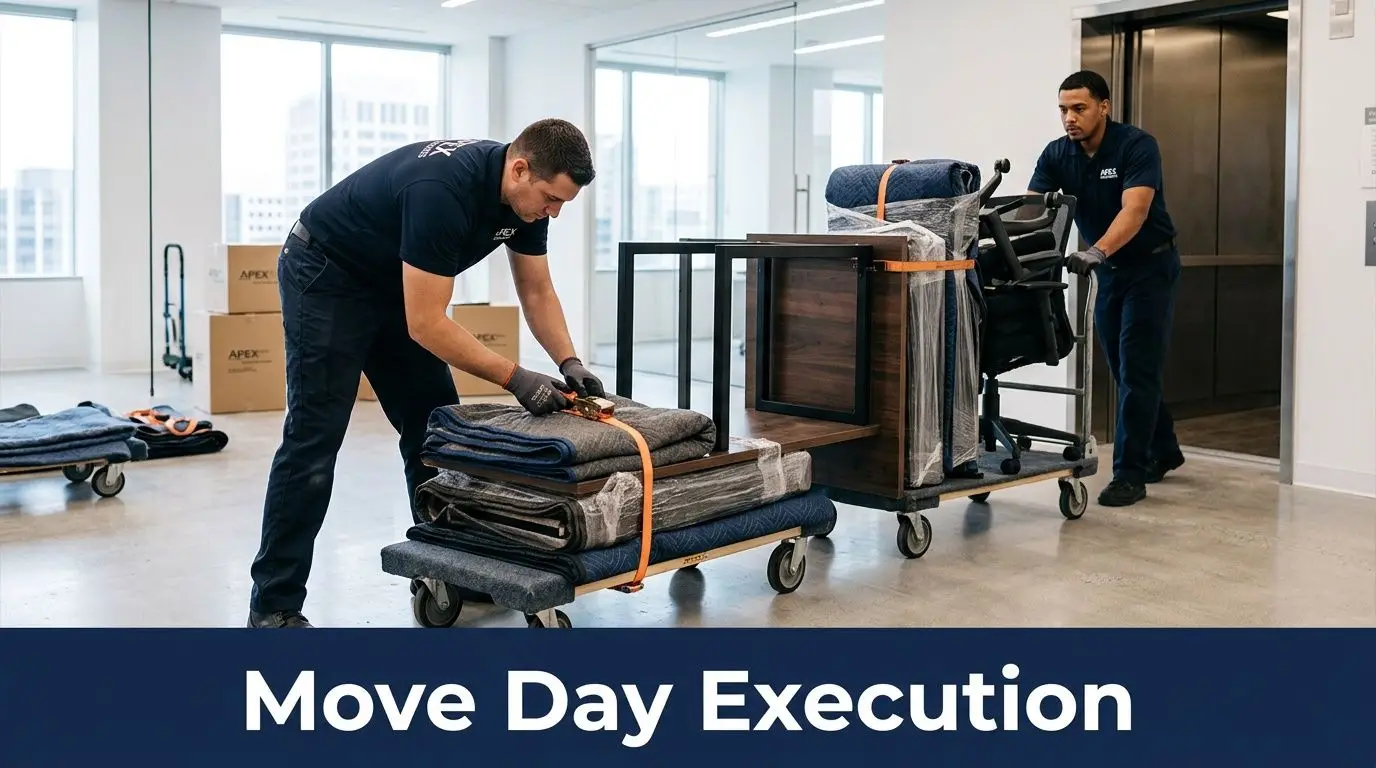
Move day rewards preparation and punishes assumptions. Labels matter. Dock access matters. The order of loading matters. A crew can work hard all night and still lose the morning if furniture arrives in the wrong sequence or the destination space isn’t staged by zone.
According to the ATA Moving and Storage Conference, weekend moves can cut productivity loss, which is otherwise inevitable at 10-20%, but they require tight coordination with building management for dock access. The same guidance notes that low-bid subcontractor models can cause 30-50% delays from inadequate crew sizing, as summarized in JK Moving’s commercial moving challenge guide.
Label for destination, not origin
Many teams label based on the old office. That’s backward. The crew unloading at the new site needs to know floor, neighborhood, room, and person or department. Color coding works well because it lets foremen route items quickly without reading every sticker.
Use separate visual cues for categories such as:
- Red tags for IT-adjacent furniture or tech carts
- Blue tags for standard workstations
- Green tags for conference and collaboration pieces
- Yellow tags for storage and filing
- Black tags for items pending review or hold
A floor captain should carry the keyed legend, printed plans, and an exception log. If something arrives with no label, quarantine it instead of guessing.
Protect the route, not just the furniture
Damage claims often involve the building before they involve the inventory. Scraped door frames, gouged elevators, chipped lobby walls, and cracked stone thresholds can cost more than a damaged desk.
Set these controls before the first cart rolls:
- Reserve service elevators and confirm time windows in writing.
- Stage wall and floor protection at both sites before loading begins.
- Map the travel path from suite to dock, including turns and clearance limits.
- Keep hardware kits separated by room or workstation type.
- Use a single communications channel for foremen, facilities, security, and IT.
A detailed office mover coordination approach for commercial projects is especially useful when the move includes phased occupancy or overnight reset work.
Crews don’t need more enthusiasm on move day. They need fewer surprises.
Sequence the unload around business use
Unload in the order the business needs to function. Reception, executive areas, conference rooms, shared services, and high-density departments rarely have the same priority. If installation starts with whatever comes off the truck first, your team will spend the next day shifting furniture to create usable space.
Keep one person at the destination making placement decisions against the approved floor plan. Don’t let department heads redirect crews ad hoc. That’s how conference chairs end up in the wrong suite and benching components get split across floors.
Integrating IT Relocation and Secure Disposition
Many office furniture relocation services often fall short. Standard movers can break down cubicles and roll files. That does not mean they should touch retired servers, storage arrays, network switches, laptops, or anything holding regulated data.
A real gap exists in the market. Standard office furniture relocation services provide no guidance on the parallel challenge of decommissioning and disposing of IT equipment, creating a compliance and security vulnerability. That fragmentation increases chain-of-custody complexity and data breach risk during facility transitions, especially in healthcare and finance, as noted in Source COI’s discussion of office relocation service gaps.
Split technology into move, redeploy, and retire
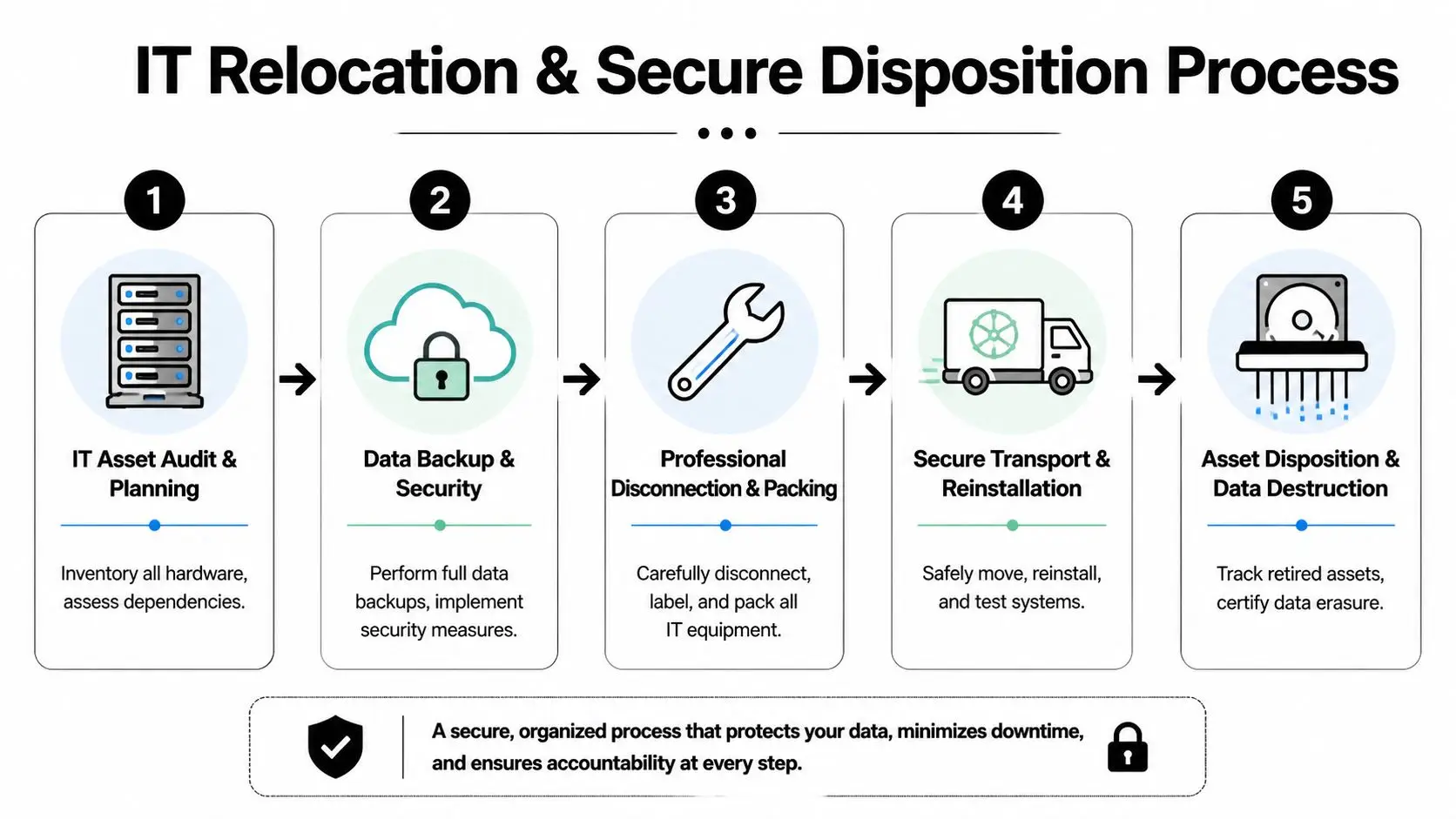
Before the first device is unplugged, IT needs its own asset decision tree. Treating every device as “coming with us” creates waste and risk. Some equipment belongs in the new office. Some should go to another site. Some should be wiped, shredded, or recycled before the move happens.
Create three categories:
- Move for active infrastructure and user devices required at go-live
- Redeploy for hardware with remaining business value but no place in the new site
- Retire for obsolete, unsupported, damaged, or excess equipment
This sounds obvious, but teams often skip it because the furniture move feels urgent. Then they discover old backup appliances, unused printers, and decommissioned workstations still sitting under desks while movers are waiting at the dock.
Keep chain of custody continuous
Furniture can tolerate a little ambiguity. Data-bearing assets can’t. Every handoff should be documented from collection through transport and final disposition. That includes who disconnected the equipment, where it was staged, who signed for transfer, and what happened at final processing.
For regulated organizations, that documentation supports internal policy and external compliance obligations. It also removes the common finger-pointing problem after a move. If a device goes missing, the organization needs a traceable record, not a verbal history.
A coordinated IT office relocation service model for business transitions works best when the furniture team and technology team share timing but not custody. They should align schedules closely, while sensitive assets move under separate controls.
Sensitive IT assets should never be mixed into general furniture staging just because there’s space on the truck.
Plan teardown and disposition as parallel workstreams
The old office usually contains active equipment, dormant equipment, and forgotten equipment. All three require different handling. Active systems need controlled shutdowns and tested restoration plans. Dormant assets still need inventory and custody. Forgotten assets, often tucked into closets or under counters, are where exposure starts.
A practical parallel workflow looks like this:
- Audit all data-bearing devices by room, rack, closet, and workstation.
- Confirm backup and migration status before disconnecting anything production-related.
- Stage technology separately from furniture with clear ownership controls.
- Route retired assets to certified data destruction and electronics recycling.
- Collect final certificates and internal disposition records for audit files.
This integrated approach also improves sustainability. You avoid moving dead weight, reduce storage clutter at the new site, and prevent unsecured hardware from drifting between vendors.
Post-Move Validation and Sustainable Asset Management
A move isn’t done when the trucks leave. It’s done when the office works, the old space is cleared correctly, and the leftover assets are accounted for. Teams that skip validation usually discover problems too late. Missing hardware gets noticed after the vendor has demobilized. Furniture damage surfaces after acceptance. Stranded assets remain in the old suite until lease closeout pressure forces expensive cleanup.
Workplace transition research shows that successful relocations can achieve 15-25% productivity gains post-move through optimized layouts, and planning that exceeds 90 days can deliver 10-18% cost savings while helping avoid overlapping-lease issues that carry a 15% overrun risk, according to workplace relocation benchmark guidance from STO Moving & Storage.

Run a structured post-move walkthrough
Do the first walkthrough before people fully settle in. Once departments start improvising fixes, it gets harder to separate move-related issues from normal workplace churn.
Check these items immediately:
- Furniture placement against the approved floor plan
- Damage to desks, tables, panels, seating, walls, and doors
- Missing components such as keys, power modules, privacy screens, and hardware kits
- Functional readiness for conference rooms, reception, and shared spaces
- Old-site residuals including abandoned furniture, cables, and electronics
Use one issue log with photos, room numbers, and assigned owners. Don’t rely on email chains from department heads.
Measure success with business metrics, not just completion
A move can finish on time and still be unsuccessful. If employees can’t work efficiently, if the budget absorbed preventable waste, or if excess assets remain unmanaged, the project isn’t complete.
Review outcomes such as:
| Validation area | What good looks like |
|---|---|
| Space usability | Teams can work in assigned spaces without reconfiguration |
| Budget control | Exceptions are documented and tied to approved changes |
| Downtime impact | Critical departments resumed operations as scheduled |
| Asset accountability | Moved, retired, and leftover items all have recorded status |
| Old-site closure | Landlord turnover requirements are met without scramble work |
The best post-move report is short, factual, and tied to the decisions made before the move. It should show what was planned, what changed, and what remains open.
Finish the job with responsible disposition
There’s always a remainder pile. Obsolete chairs. Extra pedestals. Dead printers. Old monitors. Broken laminate tops. The mistake is letting these items drift into storage “for later.” Later usually becomes a rushed cleanout with poor documentation.
For furniture and non-IT materials, you may also need region-specific consumer guidance if staff ask about personal disposal options. A helpful guide for Southwestern Virginia homeowners is one example of the kind of local resource that applies outside a commercial move scope.
For business assets, the better path is formal recovery. A structured asset recovery program for surplus business equipment helps separate items with resale value from assets that belong in certified recycling or destruction channels. That keeps the old site clean, supports sustainability goals, and closes the loop on accountability.
If your organization is planning an office move and needs secure handling for surplus electronics, data-bearing devices, and retired IT equipment, contact Beyond Surplus for certified electronics recycling and secure IT asset disposal.