If you're evaluating my office san diego commercial relocation services, you're probably not looking for moving boxes. You're trying to avoid downtime, keep staff productive, and make sure no laptop, switch, server, or drive disappears between the old suite and the new one.
That’s a key challenge in San Diego office moves. Facilities teams focus on furniture, lease dates, elevators, and loading docks. IT teams focus on cutover windows, backups, access control, and device tracking. Problems start when those two workstreams run in parallel instead of as one plan.
Navigating Your San Diego Commercial Relocation
The San Diego office market is pushing many companies to rethink their footprint. The overall office vacancy rate reached 15.4% in Q1 2026, and Downtown San Diego sits at approximately 25% vacancy, which is forcing businesses to optimize space and cost decisions according to San Diego office market data from Kidder Mathews.
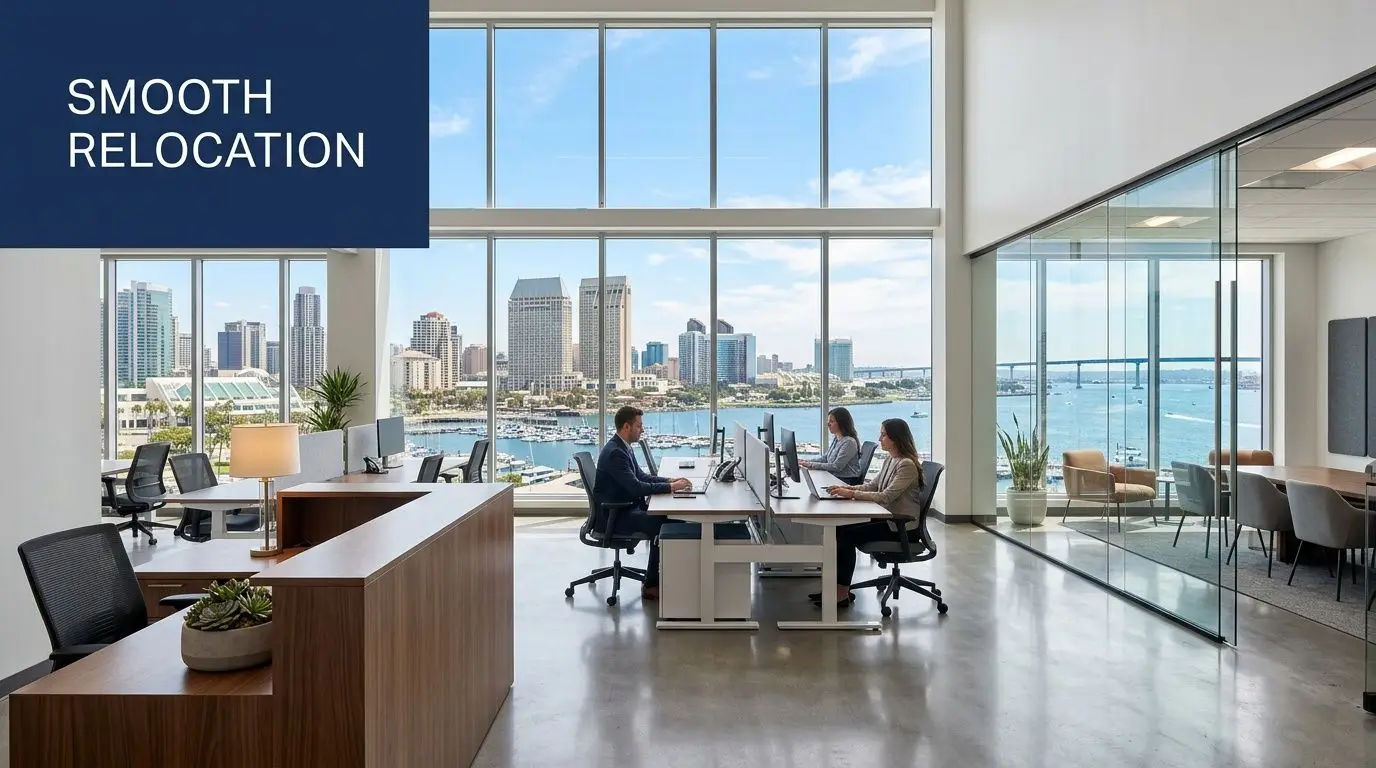
A move in that environment isn't just operational. It’s strategic. Some teams are consolidating. Others are upgrading space quality while reducing square footage. Either way, the move has to support the business case behind it.
What usually gets missed
Most relocation plans are built around visible assets. Desks. Chairs. Conference tables. Filing cabinets. That’s only part of the job.
The riskier side sits behind monitors and inside closets:
- User devices that need to arrive assigned and working
- Network hardware that can’t be relabeled on the fly
- Retired equipment that shouldn’t be moved at all
- Storage media that needs secure handling before disposal
- Provider coordination for internet, security, and access systems
Practical rule: If your move plan treats IT as a task for the last week, the plan is already behind.
A better approach is to combine workplace planning and IT lifecycle planning from day one. That includes deciding what relocates, what gets replaced, what gets decommissioned, and what should be removed before the movers ever show up.
For teams comparing providers, that’s why it helps to review relocation partners that understand both physical move sequencing and pre-move surplus removal, such as commercial office relocation support. The smoother projects separate active equipment from non-deploying assets early, not during packing week.
What works in practice
Good relocations reduce scope before they reduce stress. The cleanest projects start with a floor plan, a device inventory, and a business continuity list. From there, every workstream gets tied to the same move date, same room naming, and same asset labels.
What doesn’t work is assuming the moving company will solve technology problems on site. They won’t. They can move equipment. They shouldn’t decide what’s production-critical, what contains regulated data, or what should be retired instead of transported.
Building Your Relocation Blueprint and Timeline
A relocation calendar should be built backward from go-live in the new office. That sounds obvious, but many teams still schedule around lease dates and truck availability first, then try to fit IT into the gaps. That’s how weekend cutovers become Monday outages.
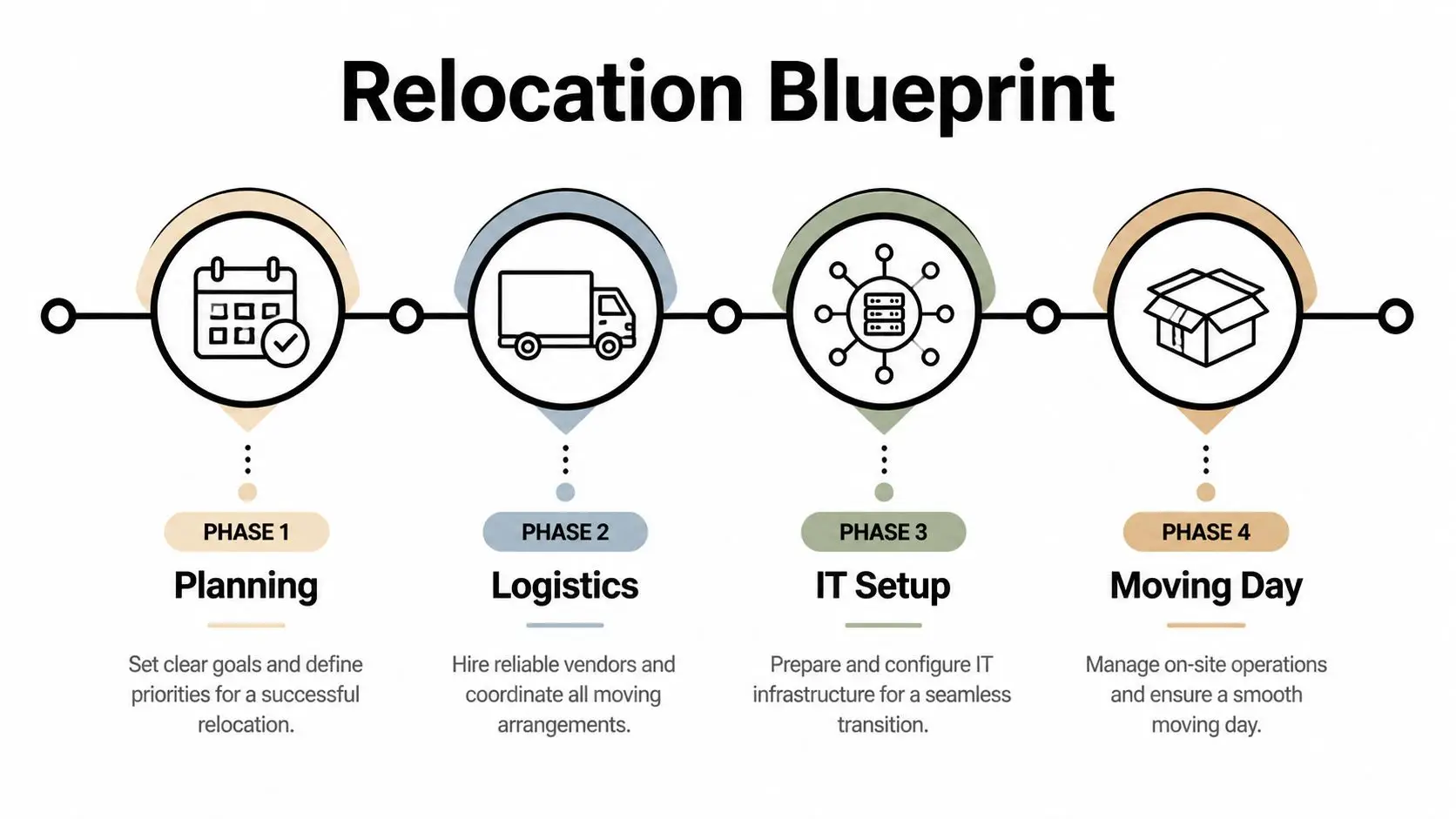
San Diego office move methodologies recommend phased execution starting 8-12 weeks in advance for typical projects, while larger moves with specialized equipment may require 16-20 weeks. That phased approach can reduce overall delays by 30-50% according to San Diego office moving checklist guidance.
Sixteen to twenty weeks out
For larger projects, this is when the move becomes real. Not because boxes appear, but because dependencies surface.
Start with:
- A move committee with facilities, IT, security, HR, and finance.
- A final floor plan that identifies departments, shared spaces, network drops, and special-use rooms.
- An asset decision list that separates move, replace, store, and dispose categories.
- A master budget that includes movers, cabling, de-installation, disposal, internet activation, signage, and after-hours labor.
This is also the point to book specialized partners. If the project includes server rooms, lab-adjacent equipment, or heavy workstation counts, waiting too long narrows your options.
Eight to twelve weeks out
This window is where scheduling discipline matters most. Every vendor should now be working from the same version of the timeline.
Use a short operating rhythm:
- Weekly coordination calls with one owner
- Room-by-room asset mapping tied to the new floor plan
- ISP and carrier confirmations in writing
- Access planning for dock reservations, elevator windows, and badge permissions
The move calendar should answer one question for every team: what has to be ready before the next team can start?
This is also the right time to confirm whether old equipment should be redeployed or removed. If obsolete hardware is still sitting in storage rooms two weeks before the move, it will end up clogging staging space.
A national provider that supports office transitions alongside surplus removal can be useful when you need that split managed under one operational plan, especially for multi-site organizations using nationwide office relocation support.
Four weeks out
The last month is execution, not strategy. Big decisions should already be closed.
At this stage, teams should lock:
| Focus area | What should be finalized |
|---|---|
| Employee readiness | Seating charts, labels, packing instructions |
| IT readiness | Backup verification, disconnect sequence, test plans |
| Building logistics | COIs, move permits, loading instructions |
| Surplus handling | Pickup dates for retired or non-deploying assets |
What fails here is late redesign. What works is control of scope.
Mastering Vendor and Stakeholder Coordination
Most failed moves don’t collapse because one vendor is incompetent. They slip because everyone did their own part without a shared command structure.

In San Diego, businesses often struggle to coordinate furniture movers, IT asset handlers, and other service providers because there’s often no central framework for inventory control, asset tracking, or loss prevention across multiple contractors, as noted in this discussion of relocation coordination gaps.
Assign one move captain
One person needs authority to approve sequencing changes, resolve conflicts, and keep vendors from working off separate assumptions. That person might sit in facilities, IT, or operations. The title matters less than the authority.
Without that role, these issues show up fast:
- Duplicate scheduling for elevators and docks
- Conflicting labeling systems between movers and IT staff
- Unclear handoffs for monitors, docking stations, and shared peripherals
- Gaps in responsibility for disconnected but not yet disposed equipment
Vet vendors by handoff quality
Most buyers ask whether a vendor can do the task. Better buyers ask how the vendor hands work to the next vendor.
That means checking:
- Inventory discipline and how assets are tagged
- Escalation process when access changes or gear is missing
- Documentation standards for pickups, disconnects, and delivery
- Building coordination experience, including electrical readiness
If your new space needs panel work, power adjustments, or workstation circuit planning before occupancy, outside resources such as electrical solutions for businesses can help your facilities team align the move schedule with power availability.
A vendor list is not a move plan. A handoff map is.
A simple way to tighten control is to use one common tracker for all parties. Every room, every asset class, every owner, every date. Teams that want a practical screening framework can adapt a vendor due diligence checklist to catch documentation and accountability gaps before move week.
Executing a Seamless IT and Data Center De-Installation
IT de-installation should run like a controlled shutdown, not a scavenger hunt with label makers. The work starts well before unplugging anything.

Start with a live inventory
Don’t rely on procurement records alone. Walk the space. Compare what’s installed against what the records say exists.
Review these categories separately:
- End-user devices such as laptops, desktops, monitors, docks, and printers
- Shared office technology including conference room systems and badge readers
- Network assets such as switches, firewalls, access points, UPS units, and racks
- Retired or unknown equipment stored in closets, server rooms, and under desks
This step often exposes old devices nobody planned for. Those assets affect packing counts, truck space, disposal needs, and chain-of-custody requirements.
Back up and verify before disconnecting
A backup that hasn’t been verified is only a plan. Before de-racking servers or shutting down appliances, confirm restoration paths and ownership for each critical system.
The technical sequence should be documented in plain language:
- Confirm backups and exports
- Capture photos of rack elevations and cable paths
- Label ports, power, and destination locations
- Disconnect by dependency order
- Pack with transport-specific protection
When teams label by user, room, and destination rack position, reinstallation goes faster and troubleshooting gets narrower.
Separate relocation from retirement
Not every device should make the trip. That’s especially true for aging switches, spare monitors, failed endpoints, and storage media that create clutter in the cutover window.
For server rooms and more complex environments, many organizations use specialized data center decommissioning services to remove non-deploying equipment under documented logistics before the move date. That keeps staging areas usable and lowers the risk of mixing production hardware with scrap.
Protect reconnection time
The fastest physical move can still lead to a bad launch if reconnection priorities are wrong. Bring up core network services, identity systems, internet connectivity, and executive or customer-facing functions first. Leave low-priority peripherals and convenience devices for after operations are stable.
What works is a cut sheet for each room and rack. What doesn’t work is relying on memory after a late-night shutdown.
Ensuring Secure IT Asset Disposition and Data Destruction
Every office move creates a second project that many teams underestimate. What happens to the equipment that isn’t going to the new site?
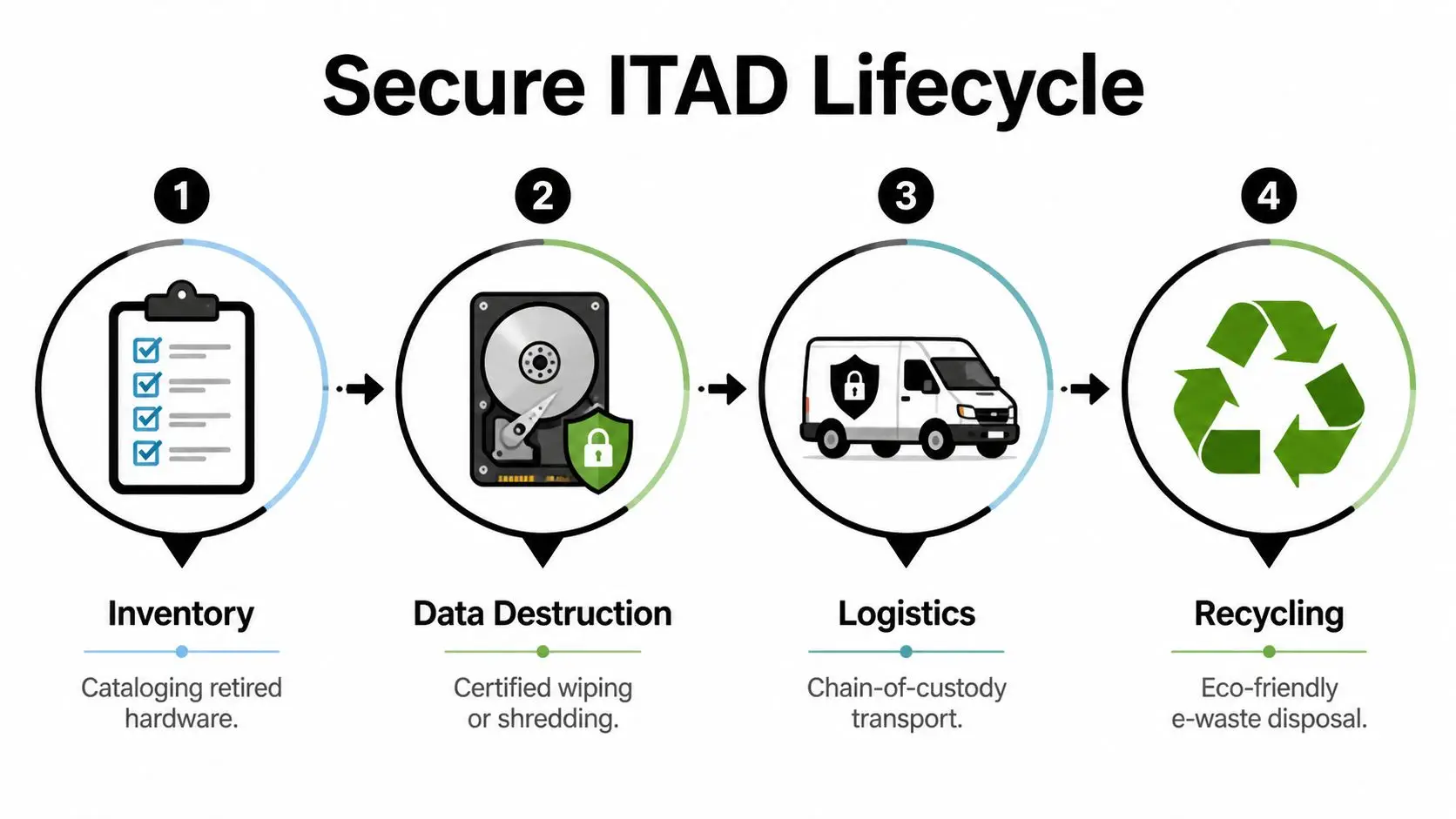
Many relocation guides stay focused on furniture and packing, but they leave out the risk tied to servers, workstations, networking gear, and storage media that must be decommissioned securely during the move while maintaining compliance with rules such as the FTC Disposal Rule, as highlighted in this San Diego office moving review.
Why disposal is not a cleanup task
Retired IT hardware still holds business risk. A drive in a storage room is not harmless because it’s powered off. If the device still contains data, your organization still owns the exposure.
That’s why IT asset disposition, or ITAD, belongs inside the move plan, not after it.
Use this decision model:
| Asset condition | Best next step |
|---|---|
| Reusable and approved | Redeploy or remarket under documented handling |
| End-of-life but data-bearing | Certified wiping or physical destruction |
| Damaged or nonfunctional | Secure destruction and recycling |
| Unknown origin or status | Quarantine, identify, then process under chain-of-custody |
Wiping versus shredding
Both methods have a place. The right choice depends on asset type, policy, and whether the organization intends to recover value from the hardware.
- Certified wiping fits devices that may be reused or resold after secure processing.
- Physical destruction is the stronger option when media is damaged, highly sensitive, or not suitable for redeployment.
- Chain-of-custody documentation matters in both cases because the process has to be auditable, not assumed.
If nobody can show who touched the asset, when it moved, and how data was destroyed, the process is incomplete.
Organizations that need pickup, data destruction, and reporting as part of relocation planning often review providers that explain what IT asset disposition includes. Beyond Surplus is one example of a company that provides on-site or off-site data destruction, certificates of recycling and destruction, and logistics coordination for business moves.
What a compliant workflow looks like
The strongest ITAD workflows are simple to follow:
- Identify non-deploying equipment before pack-out.
- Segregate it from production assets in staging.
- Document serials or asset IDs where required.
- Transfer custody through signed logistics steps.
- Destroy data using the approved method.
- Recycle responsibly and retain final certificates.
What fails is informal disposal. A few retired laptops in a closet can turn into a chain-of-custody problem fast when movers, facilities staff, and IT all assume someone else handled them.
Managing Move-Day Logistics and Post-Relocation Success
Move day is a control problem. The teams that finish cleanly aren’t improvising. They’re checking off a sequence that was decided earlier and assigning someone on site to verify each handoff.
For San Diego office projects, small relocations of around 2,000 SF typically need 2-3 professional movers at $150-$300 per hour, while larger projects over 100,000 SF may require 4-6 or more specialists according to commercial moving guidance for San Diego.
Matching crew size to move complexity
The wrong comparison is cheap crew versus expensive crew. The right comparison is under-staffed versus appropriately staffed.
A smaller office often works with a compact crew when:
- Access is simple and elevators are easy to reserve
- Furniture is standardized and there’s limited specialty equipment
- IT is pre-staged and disconnected before movers arrive
Larger sites need more labor when the move includes multiple departments, phased occupancy, executive areas, or dense equipment zones. A bigger crew costs more by the hour, but it can reduce congestion at loading areas and shorten the time critical teams sit idle.
First priorities after arrival
Don’t unpack everything at once. Restore business operations in layers.
A practical order looks like this:
- Network core and internet
- Identity, phones, and critical user groups
- Conference rooms and shared print
- General unpacking and furniture adjustments
Walk both sites before signing off. At the old office, check storage rooms, under-desk cable baskets, wall-mounted equipment, and network closets. At the new office, reconcile delivered assets against the move manifest before the crews leave.
The project isn’t complete when the last truck departs. It’s complete when inventory, invoices, and open issues match reality.
The final review should capture missing items, damaged assets, disposal confirmations, and any technology that never came back online as expected. That record protects the budget and makes the next move easier.
If your San Diego relocation includes retired laptops, servers, storage media, networking gear, or surplus electronics that shouldn’t go to the new office, contact Beyond Surplus for secure IT asset disposition, certified data destruction, and business pickup coordination.