Resetting a Cisco switch is the critical process of erasing its current configuration and restoring it to its original factory default settings. It's a fundamental task for troubleshooting, redeploying hardware, or preparing IT assets for secure disposal.
This is typically accomplished in a few ways: using CLI commands like write erase, physically holding the mode button during the switch's boot sequence, or as part of a password recovery procedure. Regardless of the method, the objective is to ensure all sensitive configuration data—such as VLANs, access control lists, and security settings—is completely removed.
Why Resetting Your Cisco Switch Is a Security Imperative
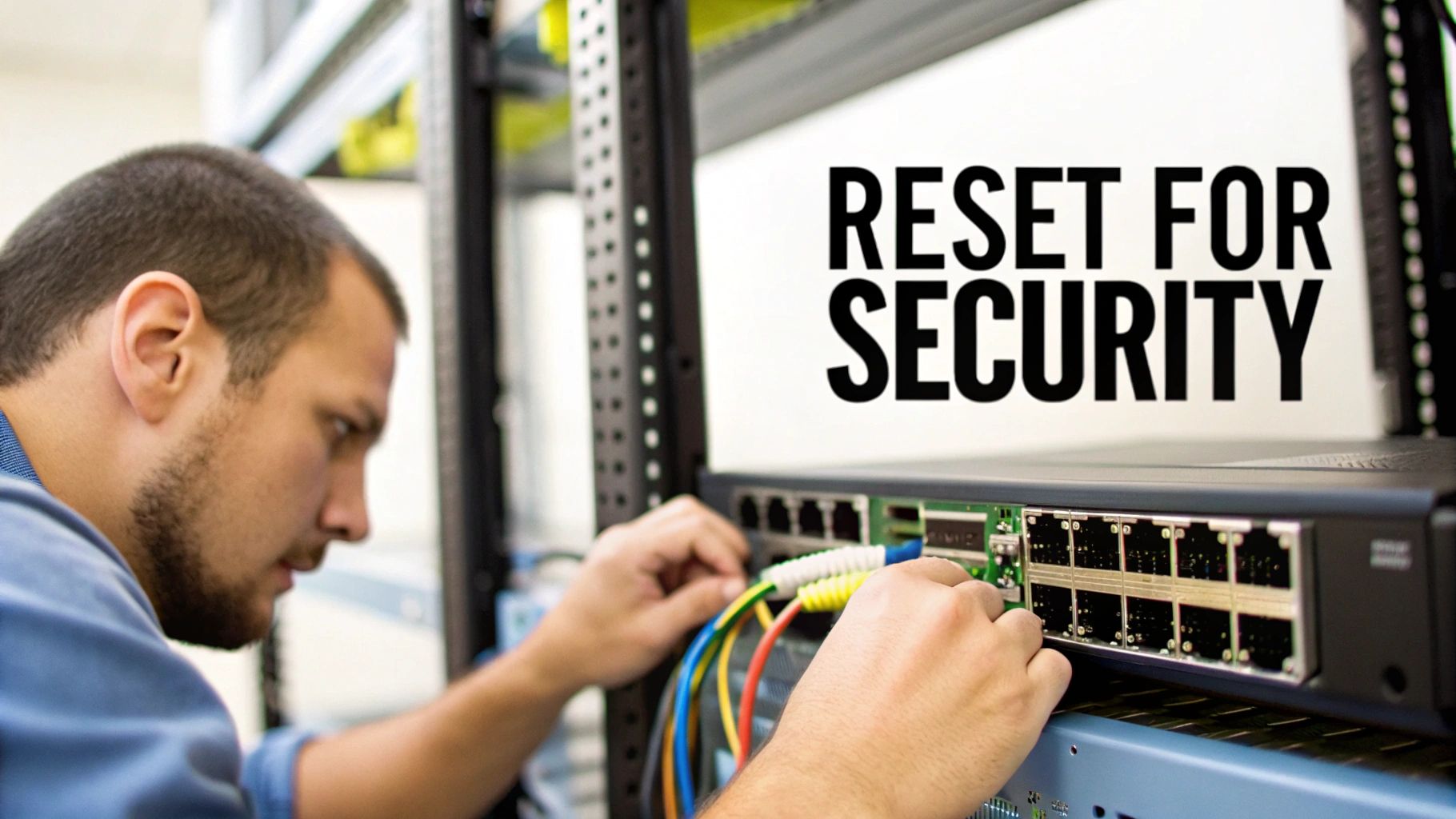
Before diving into the "how," understanding the "why" is crucial. Resetting a Cisco switch is far more than a simple troubleshooting step; it's a core security and operational best practice for any business managing its IT infrastructure. The reasons are practical, spanning from routine maintenance to strict data security compliance mandates.
In enterprise networking, Cisco is a dominant force. This means IT professionals across all sectors—from small businesses to large-scale data centers and highly regulated industries like healthcare and finance—are constantly managing these devices. A proper reset is absolutely critical before disposal to ensure leftover configurations do not violate data protection regulations like the FTC Disposal Rule.
Common Scenarios That Demand a Switch Reset
A reset can be the definitive solution for persistent performance issues that a simple reboot cannot resolve, such as unexplained high CPU utilization or intermittent connectivity. It provides a clean slate, eliminating any misconfigurations that may have accumulated over time.
Here are a few real-world situations where a reset is the best course of action:
- Asset Redeployment: When moving a switch from a secure environment, such as a finance department, to a less restricted one, a factory reset ensures no legacy access control lists (ACLs) or VLAN configurations remain to create a security vulnerability.
- Troubleshooting: If a switch begins to malfunction and standard diagnostics fail to identify the cause, a reset can quickly determine whether the issue is software-related or a hardware failure.
- End-of-Life Decommissioning: This is the most critical scenario. Before a switch is sold, recycled, or sent for disposal, a factory reset is the mandatory first step in the data sanitization process.
A factory reset is your first line of defense in the IT Asset Disposition (ITAD) lifecycle. It strips the device of its operational identity—VLANs, port security, user credentials, and SNMP strings—making it a blank canvas before it leaves your control.
The Compliance and Security Mandate
For any business operating in a regulated industry, resetting network equipment is not just a best practice; it is often a legal and contractual requirement. Erasing configurations is a key component of protecting your company from data breaches with secure data destruction practices.
Failure to properly wipe a switch can leave behind residual data that could serve as a backdoor into your network, even long after the device has been physically removed. This simple procedure is a foundational step in safeguarding your company's sensitive data, maintaining regulatory compliance, and protecting your corporate reputation.
The Pre-Reset Checklist: A Plan to Prevent Downtime
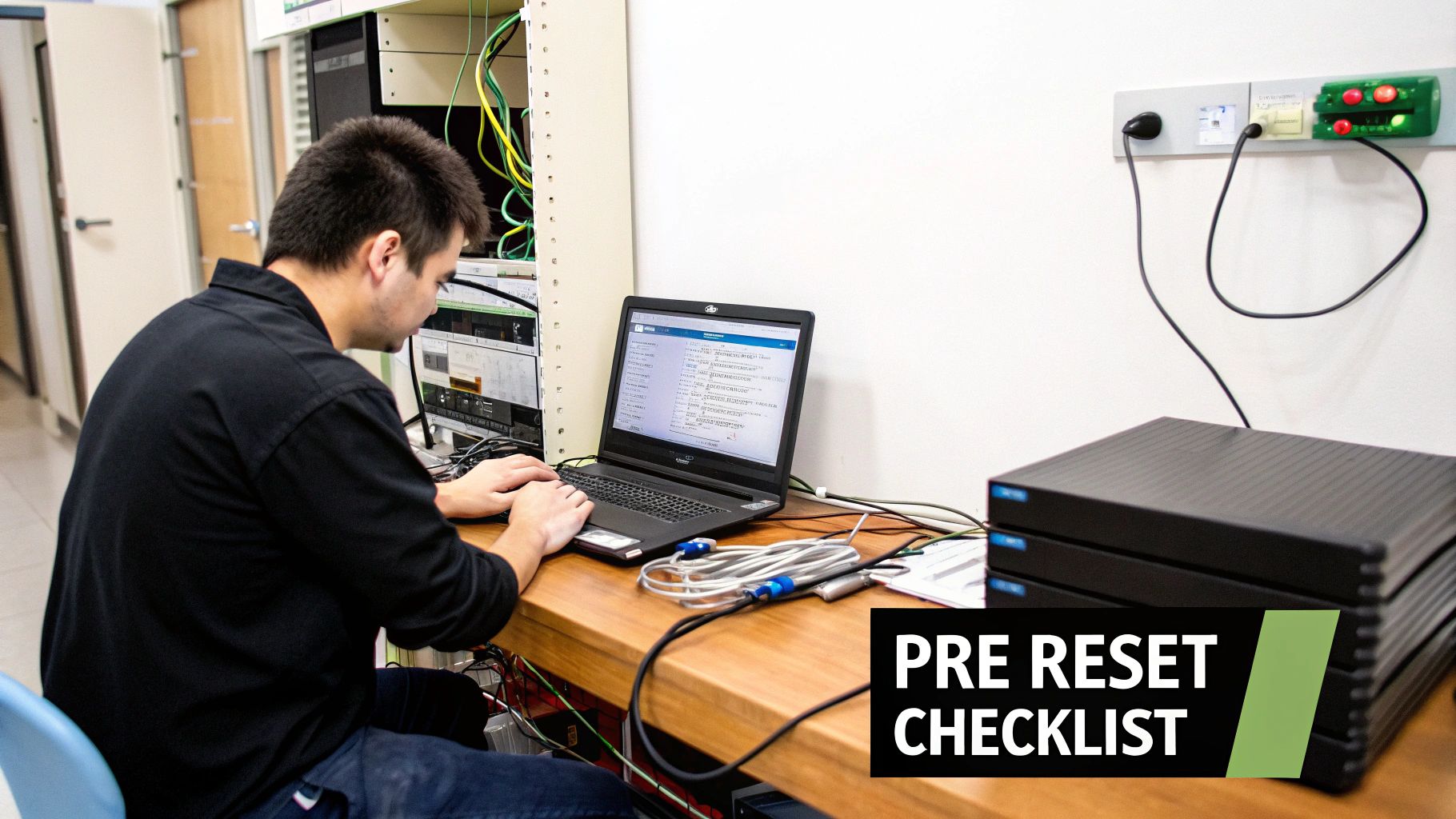
Initiating a switch reset without a clear plan is a recipe for business disruption. It's one of the quickest ways to cause an unplanned network outage and escalate a simple task into a major incident. A few minutes of careful preparation can save hours of subsequent troubleshooting.
The single most critical first step is to back up the current configuration. Before executing any reset commands, save both the running and startup configurations to a secure, off-device location, such as a TFTP server. This backup is your safety net if the reset does not go as planned and you need to restore the previous state.
Pro Tip: Avoid generic filenames for your backups. Always label the file with the switch's hostname, key interface details, and the date. A filename like
Finance-CoreSW1-VLANs-10-20-30-2024-10-26.cfgis far more useful thanswitch-config.bakduring an emergency.
Assembling Your Toolkit
With your configuration securely backed up, gather the necessary physical tools. There is nothing more frustrating than beginning a reset procedure only to discover you are missing essential equipment.
Ensure you have the following on hand:
- The Correct Console Cable: Confirm whether you need a standard rollover cable or a USB-to-serial adapter for your specific switch model.
- Terminal Emulation Software: Have a program like PuTTY or SecureCRT installed and configured on your laptop. Verify your COM port settings before heading to the data center.
- Physical Access: Know the switch's exact location in the server rack or wiring closet. Documenting the rack unit and port connections beforehand prevents confusion and delays.
Scheduling and Documentation
Finally, treat the reset as a formal network change. Schedule the work during a planned maintenance window to avoid disrupting business operations and fielding support calls from colleagues.
If the switch is being decommissioned permanently, your checklist expands. This is where formal IT Asset Disposition (ITAD) protocols become essential. Before wiping the device, record its asset tag and serial number.
This simple act of documentation creates a clear chain of custody, which is a non-negotiable requirement for compliant ITAD and a key step in a proper server decommissioning checklist. It serves as proof that the asset was handled securely throughout its lifecycle.
Now that the prep work is complete, we can proceed to the execution. There are three primary methods for wiping a Cisco switch, each suited to different levels of access and objectives. Whether you have full administrative rights or are locked out of an inherited device, there is a solution.
Three Proven Methods for a Full Factory Reset
Let's review the three most common ways to perform a full factory reset. We'll start with the most straightforward method and then cover procedures for when you are locked out or need to recover a password without immediately erasing the configuration.
Method 1: Using The Command Line Interface (CLI)
If you can log into the switch, the Command Line Interface (CLI) is the most efficient tool. This is the standard method for any planned reset because it is clean, fast, and provides direct feedback on the console. It is the preferred procedure for decommissioning a fully operational switch.
You will use two simple but powerful commands in sequence to completely erase the switch's configuration and restore it to its factory state.
First, you must erase the startup configuration file. This file resides in NVRAM and is loaded every time the switch boots. Deleting it ensures the switch will not reload its old settings upon restart.
From privileged exec mode (the Switch# prompt), enter the following command:
write erase
After you press Enter, the switch will confirm that it is erasing the NVRAM filesystem. This step is quick but is the most critical part of a true factory reset.
Next, you must reboot the device. Simply erasing the file is insufficient, as the switch is still operating on the configuration loaded in its RAM. A reload forces it to search for a startup configuration file; when it fails to find one, it reverts to its factory default settings.
reload
The switch will ask for confirmation before restarting. Once confirmed, it will reboot and come online in its original, out-of-the-box state, ready for initial setup.
Method 2: The Physical Mode Button Reset
What if you cannot access the CLI? Perhaps the password has been lost, or the switch is part of a batch of acquired hardware with unknown credentials. This is where the physical Mode button on the front of the switch becomes your key to regaining access.
This manual process involves interrupting the standard boot sequence to enter a special maintenance mode. It is a highly effective technique but requires physical access to the switch and precise timing.
Here is the general procedure for a physical reset:
- Disconnect Power: Unplug the switch's power cord.
- Press and Hold: Locate the Mode button on the front panel and hold it down.
- Reconnect Power: While still holding the Mode button, plug the power cord back in.
- Wait for the LED Signal: Continue holding the button until the SYST LED flashes amber and then turns solid green. At that point, you can release it. You should see a
switch:prompt on your console, indicating you have successfully entered ROMMON (ROM Monitor) mode.
From this prompt, you can initialize the flash file system, delete the old configuration files (specifically config.text and vlan.dat), and then boot the switch. According to Cisco's official documentation, this forces the switch to boot without a configuration, often defaulting to the username cisco and password cisco.
Method 3: The Password Recovery Technique
Sometimes you need to regain access to a switch without completely destroying its configuration. This is where the password recovery process is invaluable. It is a more surgical approach that allows you to bypass the current password, restore access, and then decide on the next steps.
This technique begins just like the Mode button reset—you interrupt the boot process to access the switch: prompt.
The key difference is the objective: instead of deleting the configuration file, you simply rename it. By changing
config.texttoconfig.old, you cause the switch to bypass it during boot, load a default configuration, and grant you full administrative access.
Once you are in, you can rename the file back to its original name, load it into memory, change the password, and save the updated configuration. Alternatively, you could copy the configuration to a TFTP server for analysis before proceeding with a full write erase. While this guide focuses on Cisco switches, the core concepts behind performing a factory reset on network devices like VoIP phones share a similar logic for managing access and configurations.
Cisco Switch Reset Method Comparison
Choosing the right reset method depends on your level of access and your end goal. This table provides a quick reference to help you select the best approach for your situation.
| Method | When to Use | Required Access | Outcome |
|---|---|---|---|
CLI write erase | Standard, planned factory reset for a known, working switch. | Full administrative access via console or SSH. | Complete configuration wipe. Switch boots to factory defaults. |
| Mode Button | You are completely locked out (forgotten password) and need a fresh start. | Physical access to the switch and a console connection. | Complete configuration wipe, bypassing the old password. |
| Password Recovery | You need to regain access without losing the current configuration. | Physical access to the switch and a console connection. | Bypasses the password, allowing you to reset it or back up the config before wiping. |
Use this table as your decision-making guide. The CLI method is for routine operations, the Mode button is for emergency access when locked out, and password recovery is for delicate situations where the existing configuration is too valuable to lose.
Post-Reset Verification and Security Hardening
The task is not complete after the switch reboots. A common mistake is for a technician to reset a device and walk away, assuming the job is finished. A successful reset is only half the process. You must verify that the device is truly a blank slate and then immediately secure it with baseline security settings.
Neglecting these final steps can leave a significant vulnerability in your network, whether the switch is being returned to production or prepared for resale.
Your first action is to confirm the factory reset was successful. Connect to the switch via the console port. A successful reset will greet you with the initial system configuration dialog. A clear indicator is the hostname, which will revert to the generic default, Switch>. This simple check confirms the old configuration is gone.
Another verification I always perform is to inspect the VLAN database. Run the command show vlan brief. The output should only list the default VLANs, typically VLAN 1. If any of your custom VLANs are still present, it means the vlan.dat file was not properly deleted, and you must repeat the reset process.
Day-One Security Hardening Checklist
Once you have confirmed a clean slate, security becomes the top priority. A switch with default settings is an open invitation for unauthorized access. Before it connects to your production network, you must perform these foundational security tasks.
This infographic illustrates the common ways to initiate a reset, from CLI commands to the physical mode button.
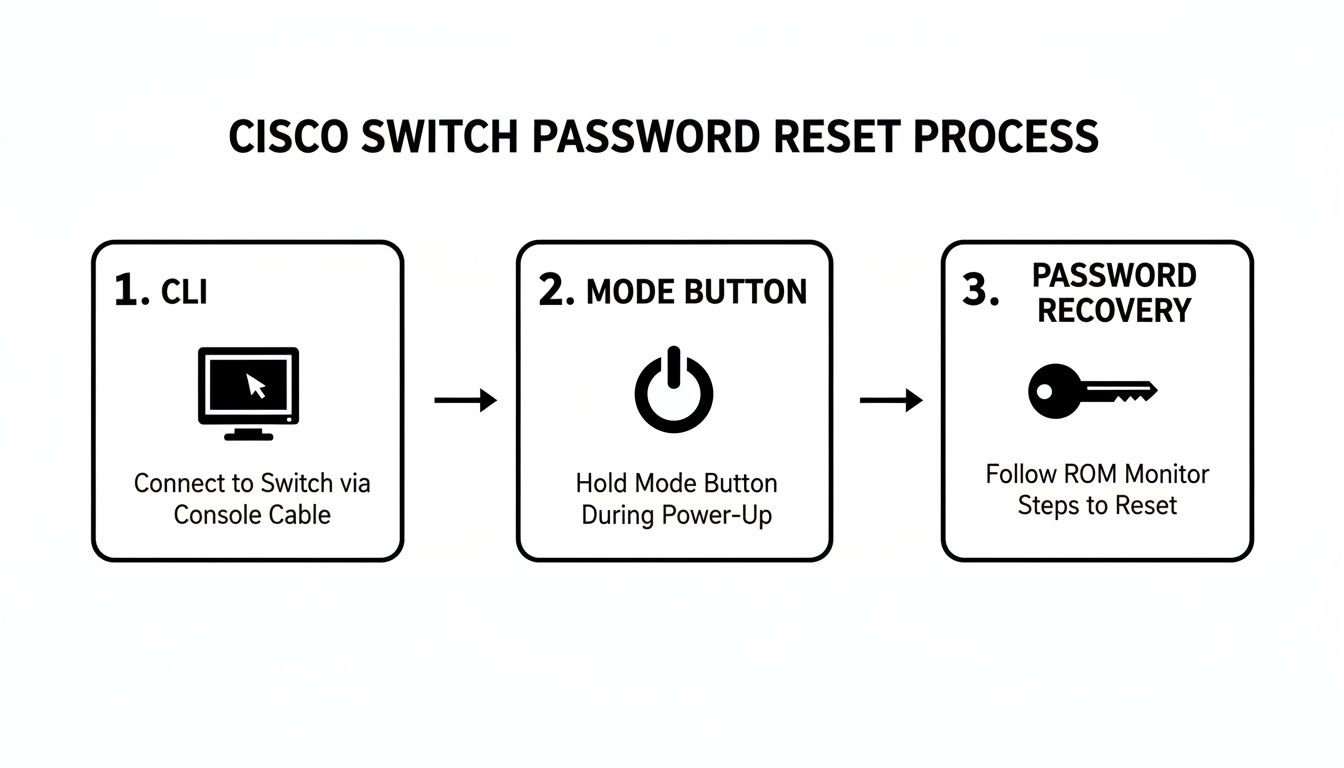
As the visual demonstrates, whether you have full access or are locked out, there is always a reliable method for resetting a Cisco switch.
Now, let's secure that switch. Implement these measures immediately:
- Create a Strong Enable Secret: Replace the weak default
enablepassword immediately with a strong, encrypted secret using theenable secret [your_strong_password]command. This is far more secure than the legacyenable passwordcommand. - Change Default Credentials: Create a new local administrator account with a complex password. If any default credentials like
cisco/ciscoexist, remove or change them. - Configure Secure Management (SSH): Telnet is a major security risk because it transmits credentials in plaintext. Disable it and configure SSH for encrypted remote management. This typically involves setting a hostname, a domain name, and generating crypto keys.
- Disable Unused Ports: Every active port is a potential entry point. It is best practice to administratively shut down all ports not in use by issuing the
shutdowncommand on each unused interface. - Implement Basic Port Security: On active access ports, configure basic port security to limit the number of MAC addresses that can connect. This simple measure helps prevent unauthorized device connections.
These initial hardening steps are non-negotiable. They transform a vulnerable, factory-default device into a secured asset ready for its full production configuration. If the equipment is destined for disposal, this process is a critical part of the data sanitization journey.
Properly wiping and securing network equipment is a cornerstone of responsible IT asset management. For more information on the standards governing data sanitization, you can learn about the guidelines in our article on NIST SP 800-88. Adhering to these post-reset procedures ensures your network remains secure and your decommissioned assets do not become a future liability.
Secure Disposal: The Final Step for End-of-Life Hardware

You have successfully reset the switch. But what is the next step when the hardware has reached the end of its useful life? A factory reset is a crucial first step, but it is only the beginning of a secure disposal process. Many organizations mistakenly believe a software wipe is sufficient to meet modern data security standards, a misconception that can lead to significant data breach risks.
For complete data security, environmental compliance, and peace of mind, a simple reset is not enough. This is where professional IT Asset Disposition (ITAD) services become essential. Certified partners like Beyond Surplus provide services that go far beyond a basic wipe, addressing the physical data remnants and regulatory complexities that software resets cannot.
Beyond The Reset: Certified Data Destruction
Erasing a configuration file does not guarantee the data is permanently unrecoverable. To ensure absolute data security, the underlying storage components must be physically destroyed or sanitized using certified methods.
This involves several critical processes:
- Certified Data Destruction: This includes methods like cryptographic erasure or overwriting data to rigorous standards like NIST 800-88.
- Physical Shredding: For the highest level of security, the physical media containing any configuration data is shredded into unrecognizable fragments, rendering data recovery impossible.
- Responsible E-Waste Recycling: After data destruction, the hardware must be recycled according to strict environmental regulations, such as R2 or e-Stewards standards.
Partnering with a certified ITAD vendor ensures every step, from secure logistics to final processing, is managed in compliance with industry standards. This professional oversight is your best defense against data security and environmental risks.
The Importance of a Certificate of Data Destruction
One of the most valuable documents provided by an ITAD partner is the Certificate of Data Destruction. This is not merely a piece of paper; it is a legal document that proves your organization followed a compliant and secure disposal process.
The certificate formally transfers liability for the disposed asset from your company to the ITAD vendor. It provides an auditable record that demonstrates due diligence and compliance with data privacy laws, protecting your business long after the equipment has left your facility.
This documentation serves as your definitive proof that you have responsibly managed the final stage of your hardware's lifecycle. Understanding the nuances of data sanitization is key. For a deeper dive, our guide explains in detail what is degaussing and its role in secure data destruction.
Frequently Asked Questions About Resetting Cisco Switches
Even with detailed instructions, questions often arise during a Cisco switch reset. Let's address some of the most common queries from network professionals.
A primary concern is the risk of unintentionally rendering a device inoperable. A frequent question is: "Will a factory reset erase the IOS image?"
The answer is no. A standard write erase command only removes the configuration files (like startup-config and config.text) and the VLAN database (vlan.dat). The Cisco IOS—the switch's operating system—is stored safely in flash memory and remains untouched. Your switch will still have its operating system after the reset.
What Happens If I Reset a Switch in a Stack?
Stacking adds a layer of complexity. Resetting the master switch in a stack does not automatically wipe the entire stack's configuration. However, it will trigger a new master election, which can be disruptive to the network.
Because the configuration is synchronized across all stack members, a cautious approach is required. To achieve a complete stack wipe, you must reset each member switch individually to ensure a truly clean slate.
Another common issue is network access after a reset. Following a factory reset, most Cisco Catalyst switches do not have a default IP address. You cannot simply connect it to the network and expect to manage it via SSH. You must use a direct console cable for the initial configuration.
Key Takeaway: Do not expect to Telnet or SSH into a freshly wiped switch. A factory reset eliminates all network-based access, making a direct console connection the mandatory first point of entry for the initial setup.
Does a Reset Remove the License?
Finally, let's address licensing. What happens to your licenses after a full reset?
For modern Cisco equipment using Smart Licensing, a reset will not remove your license entitlement. The device's Unique Device Identifier (UDI) is registered with the Cisco Smart Software Manager (CSSM). Once the switch is back on the network, it will contact the CSSM and re-validate its license status. The license is tied to the hardware, not the configuration file you erased.
Understanding these details in advance can streamline the reset process and help you avoid unexpected issues. If you have more specific questions about managing IT hardware, a comprehensive FAQ page can often provide the answers you need.
When your network hardware reaches its end of life, a factory reset is just the first step. For certified data destruction, secure logistics, and responsible e-waste recycling, you need an expert. Contact Beyond Surplus for a comprehensive IT asset disposal solution that protects your data and ensures full compliance.